

A shopper fills a cart, gets to the last step, and finds a shipping charge they didn't expect. That's one of the most common moments people give up on an online order. Usually the shipping price wasn't the problem. Being surprised by it was.
This post is about the website side: where shipping information goes, and how to show it. What to charge, which carrier to use and anything to do with sales tax are decisions for you and your accountant.
How you charge decides how you show it

- A flat rate can be shown everywhere, from the product page down.
- Free shipping over an amount works best when the cart shows the gap: "Add $12 for free shipping."
- Calculated rates only appear once someone enters an address, so tell people early how it's worked out, and roughly what to expect.
Where shoppers look
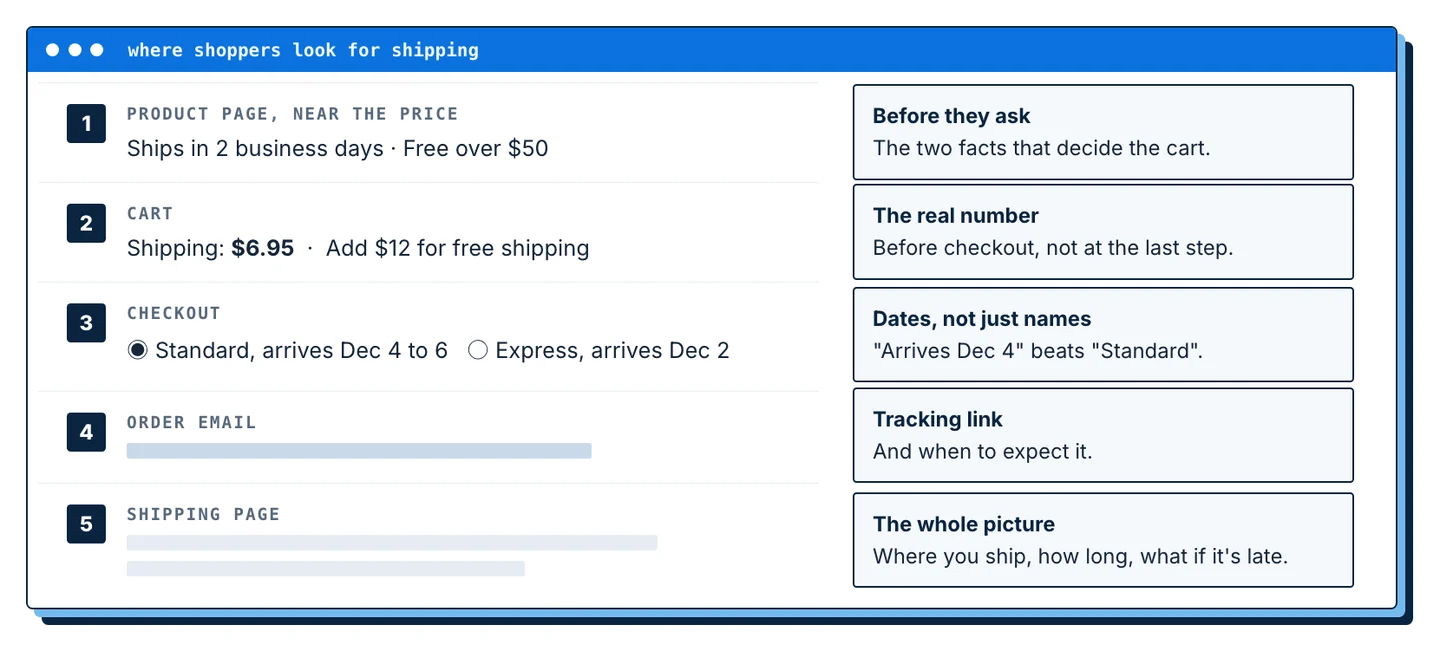
Next to the price
Two facts, in one line under the price: how fast it ships, and the free shipping threshold if you have one.
In the cart
The real shipping number, or a clear estimate, before checkout. This is where surprises start.
At checkout, with dates
"Standard" means nothing. "Arrives Dec 4 to 6" means a lot, especially before a holiday. Most store platforms can show estimated dates. Turn them on.
In the order email
The tracking link, and when to expect it. That one line saves you a lot of "where is my order?" emails.
On a shipping page
Where you ship, how long each option takes, what happens if something's late or damaged, and how to reach you. Link it in your footer and from every product page.
Say where you don't ship
If you don't ship to some places, say it before people fill a cart, on the shipping page and early in checkout. Finding out at the end is worse than not being able to order.
Test it with real addresses
Place test orders to a few different places, including the farthest one you ship to, and look at what the customer sees at every step. Rates and dates set up wrong are invisible until a real order shows them.
Shipping is half of the question that stops a sale. Returns are the other half: where to put your returns policy.