

A website isn't finished the day it launches. WordPress updates. So do your theme and plugins. Hosts change servers, forms stop sending, and Google changes how it reads pages. Most of the time none of this is visible. The site loads fine. It just quietly stops doing its job.
That's what a maintenance plan is for: someone keeps an eye on the site, keeps it current, and fixes things before they cost you. Here's what that covers, what goes wrong without it, and how to pick the right level.
When nothing looks broken
Two of the sites I've worked on are Reel Chicago and Reel360, news sites for the film, TV and advertising industry. They publish new stories every day. At one point, Reel Chicago's new stories stopped showing up in Google.
Nothing on the site looked wrong. The pages loaded and the stories were there. The problem was that its Google News sitemap was missing, and its robots.txt file didn't point Google to any sitemap. Google had no list of the new articles to work from. We put the sitemap back, pointed robots.txt at it, and set up instant indexing so Google hears about each new story when it's published. Within three days of the fix, articles were ranking near the top again.
That's the kind of problem maintenance is for. Not a dramatic crash, but something small that changed and nobody noticed until the numbers dropped. I wrote the whole story up in fixing a site that was losing search rankings.
What can go wrong when nobody looks after a site
- A plugin updates on its own and breaks a layout, a menu or a form.
- The contact form stops sending, and you find out weeks later when someone mentions they wrote to you.
- An old plugin has a security hole, and the site gets hacked or starts sending spam.
- The site goes down overnight and nobody knows until a customer tells you.
- There's no recent backup when you need one.
- A setting changes during an update and Google stops seeing new pages.
- Your hours, prices or services change, and the site still says the old thing.
What a maintenance plan covers
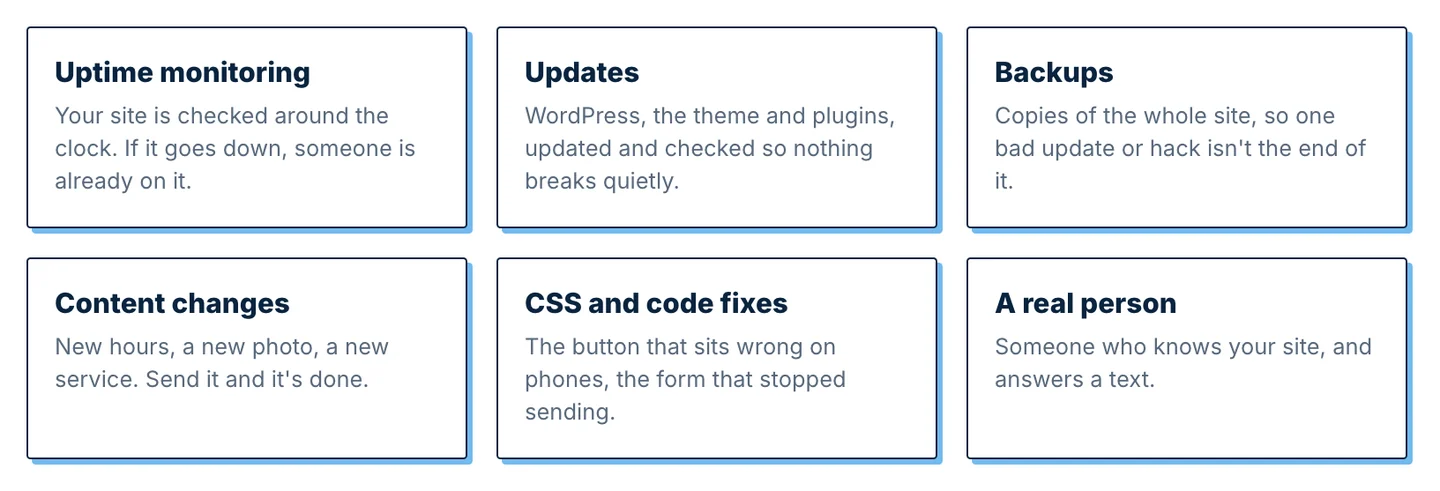
Every plan is a little different, but a good one covers these six things:
Uptime monitoring
The site is checked around the clock. If it goes down, someone is already on it, usually before you or your customers notice.
Updates
WordPress, your theme and your plugins, updated regularly and checked afterward. Updates are where most surprises come from, so the checking matters as much as the updating.
Backups
A full copy of the site, kept somewhere other than your server. One bad update or one hack is a bad afternoon instead of a rebuild.
Content changes
New hours, a new photo, a new line on a service page. Small changes like updating text, swapping a photo or adding a section are what a plan is for. A new page or a redesign is a project.
CSS and code fixes
The button that sits wrong on phones. The form that needs one more field. On the Reel sites, the CSS fixes were things like search results that slid over the menu and stray bullets on category pages. These are small fixes for someone who knows the code, and frustrating ones for someone who doesn't.
A real person
Someone who knows your site and answers when you text. That's the part people value most, because "open a ticket and wait" is how small problems turn into big ones.
What it costs to skip it
Honestly, plenty of small sites run fine for months with nobody touching them. The cost of skipping maintenance doesn't show up every month. It shows up all at once: a hacked site that needs cleaning, a form that's been broken for six weeks, or a site so far behind on updates that it's easier to rebuild than to fix. I wrote about those after-launch costs in how much a small business website costs.
How to choose a plan level
Answer three questions:
- Do you, or someone on your team, edit the site yourselves? If yes, you may only need monitoring and technical updates.
- Does the site make money directly, through bookings, a store or leads from a form? If yes, you want backups, updates and someone watching it.
- How often does your content change? If it's every month, a plan with content changes included is cheaper than paying for each one.
My own plans are built around those answers: one that keeps the site online, one that adds content changes and backups, and one that also handles the technical side of WordPress, including CSS and code fixes.
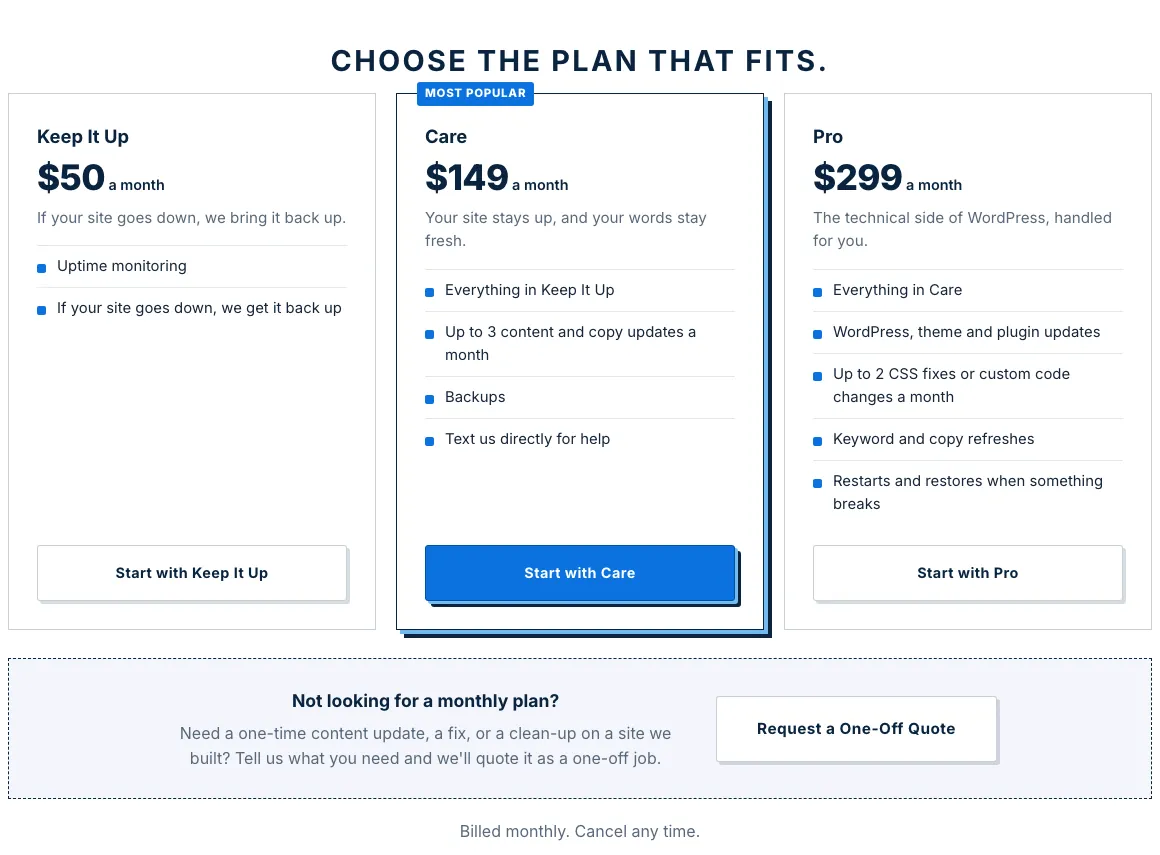
You can see what each one includes on the maintenance page.
If you'd rather do it yourself
That's fine too. Once a month, put an hour on the calendar and do this:
- Make a backup, then run your updates, then click through the site to check nothing moved.
- Send yourself a message through every form on the site.
- Open Google Search Console, go to Pages, and look for anything new under "not indexed".
- Check the site on your phone.
- Read your hours, prices and services out loud. Anything out of date, fix it, and fix it on your Google Business Profile too.
Not sure what shape your site is in?
Start with a free check. The website gap checker shows what's stopping visitors from calling, and the SEO page audit shows whether Google can read your pages properly. Both take a minute.