

An AI chat assistant on your website can answer questions at 11pm, book people in and save you a lot of repeat phone calls. It can also make things up, promise discounts you don't offer and argue with an upset customer. The difference is almost entirely in what you tell it.
So the work isn't choosing the tool. It's writing the answers.
Start with the questions you already get
Go through the last month of calls, emails, texts and reviews, and write down every question. You'll have twenty or thirty. Most businesses find that ten of them come up every week.
Write your real answers
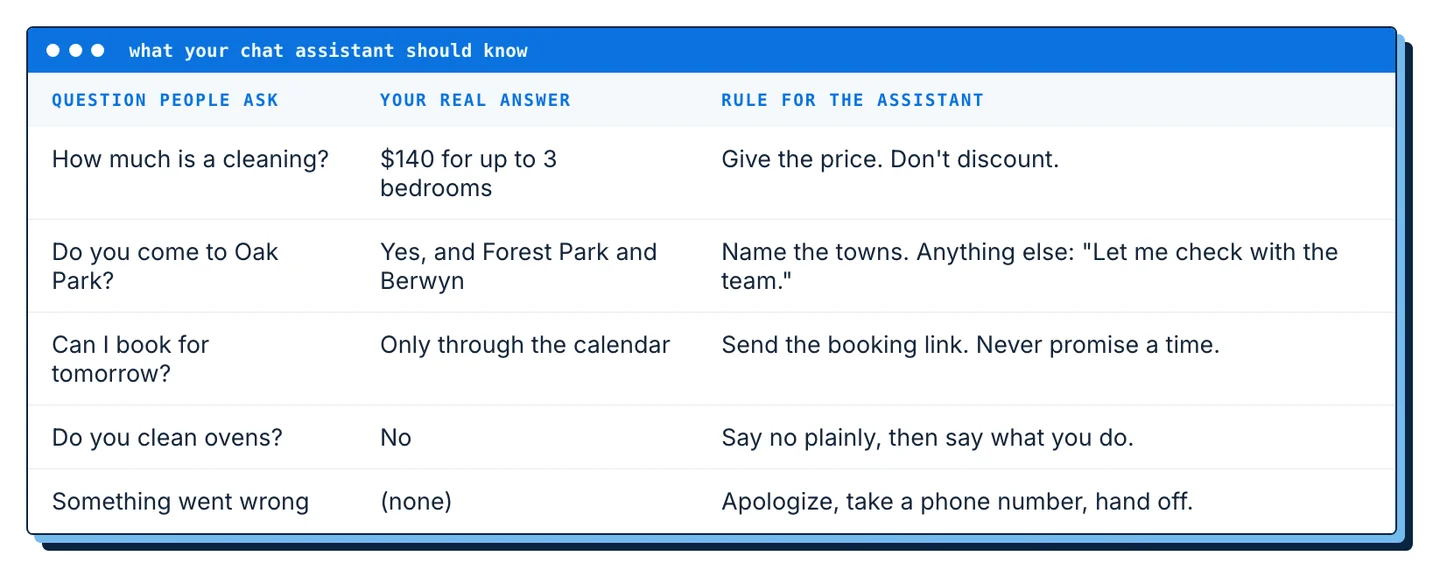
- Prices, as specific as you're willing to be in writing.
- Hours, areas, and how far ahead people can book.
- What you don't do. Assistants love to say yes. Teach it to say no.
- The links it should use: booking, pricing, contact.
Add a rule for each answer
The third column is where you stay in control. For each question, say what the assistant may do and where it stops. "Give the price, never offer a discount." "Send the booking link, never promise a time." "If they mention an injury, damage or a refund, take a number and hand off."
Decide when a person takes over
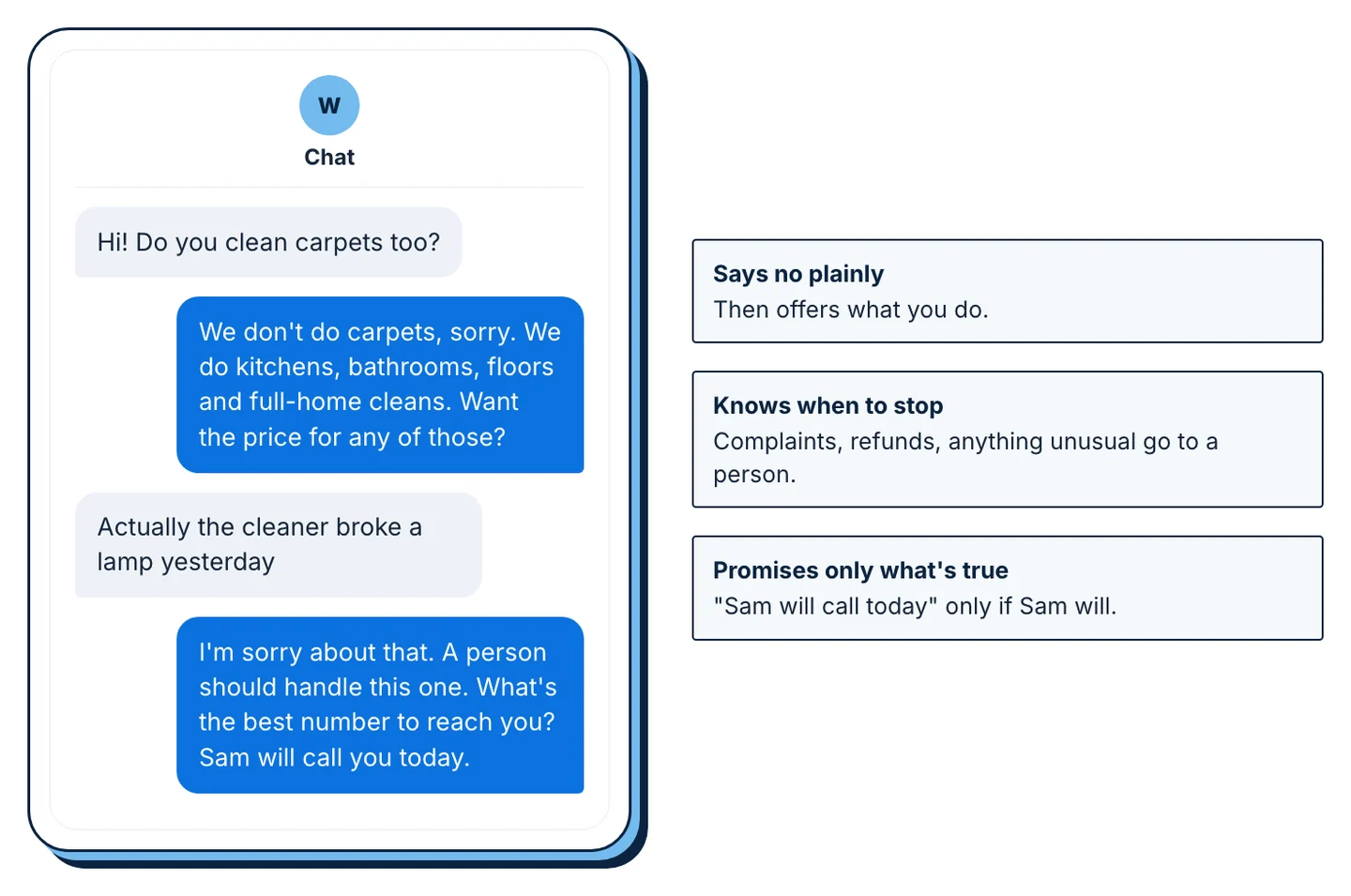
Hand off anything with money, damage, health, legal questions, or a customer who's upset. Hand off anything not on your sheet. Then make sure a real person follows up when the assistant said they would.
Keep it out of advice
If you're in a field with rules about what you can say, like health, law, finance or real estate, decide with whoever advises you what the assistant is allowed to talk about. The safe default is to hand those questions to a person every time.
Give it your voice
Tell it how you talk: short or warm, first names or formal. Give it two or three of your real replies as examples. And tell visitors up front that they're chatting with an assistant. People are fine with that. They're not fine finding out later.
What it costs, and what it collects
You usually pay the AI provider for what the assistant uses, on top of the chat tool. And every chat is information people typed into your website, so add it to the list of what your website collects.
Read the chats for a month
For the first few weeks, read every conversation. You'll find questions you missed and answers that came out wrong. Fix the sheet, not the assistant. After that, a weekly skim is enough.
The questions people ask your assistant are often the best FAQ you'll ever get. Put the common ones on your site too, using how to write an FAQ page.