

Ask most business owners what their website collects and they'll say "the contact form". Then you look, and there's analytics from two agencies ago, a chat bubble nobody answers, a map, three videos and an ad tag no one remembers adding.
This post shows you how to make the list. What you're required to do about it is a legal question, and that's one for a lawyer, not a web developer. But you'll have a much better conversation if you walk in with the list.
Start with what people type
Click through your own site and write down every place someone can enter something. Contact form, quote form, booking, checkout, newsletter, comments, file uploads, job applications. For each one, note what it asks and where it goes.
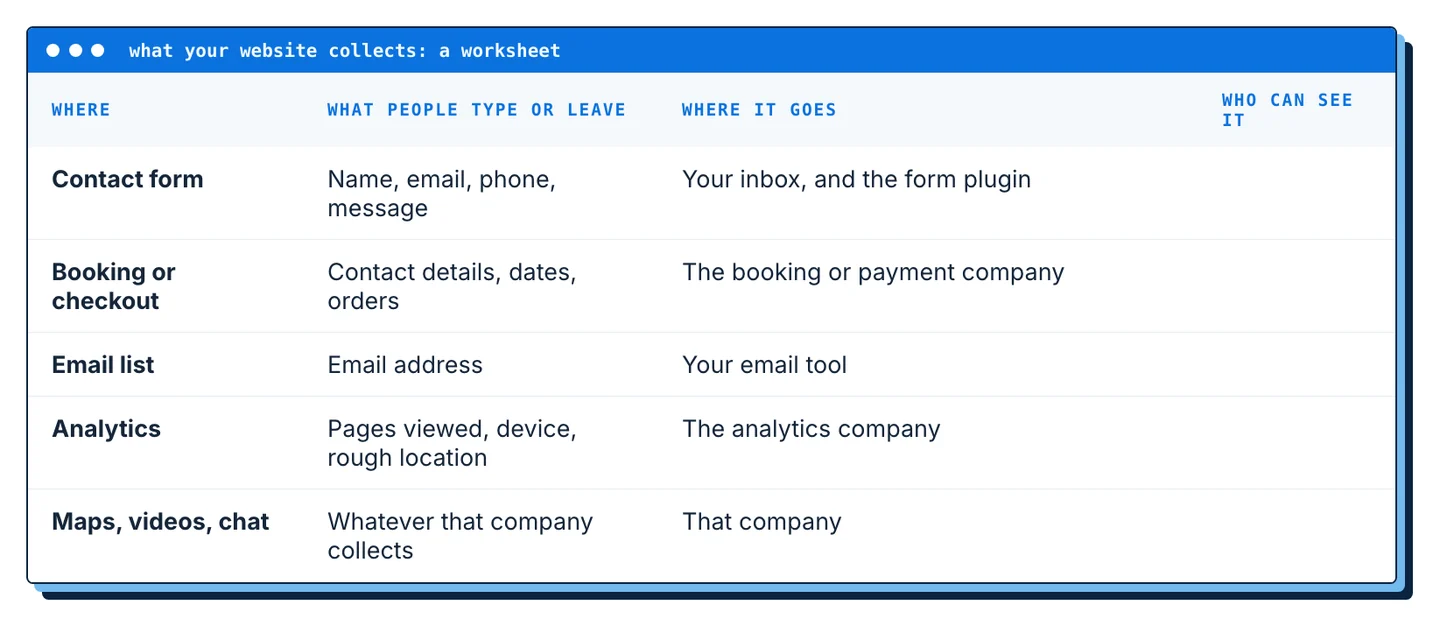
The "where it goes" part often has more than one answer. A form might email you, save a copy inside the website, and add the person to a mailing list, all at once.
Then look at what you can't see
Some things load without anyone typing. You can see them in any browser.
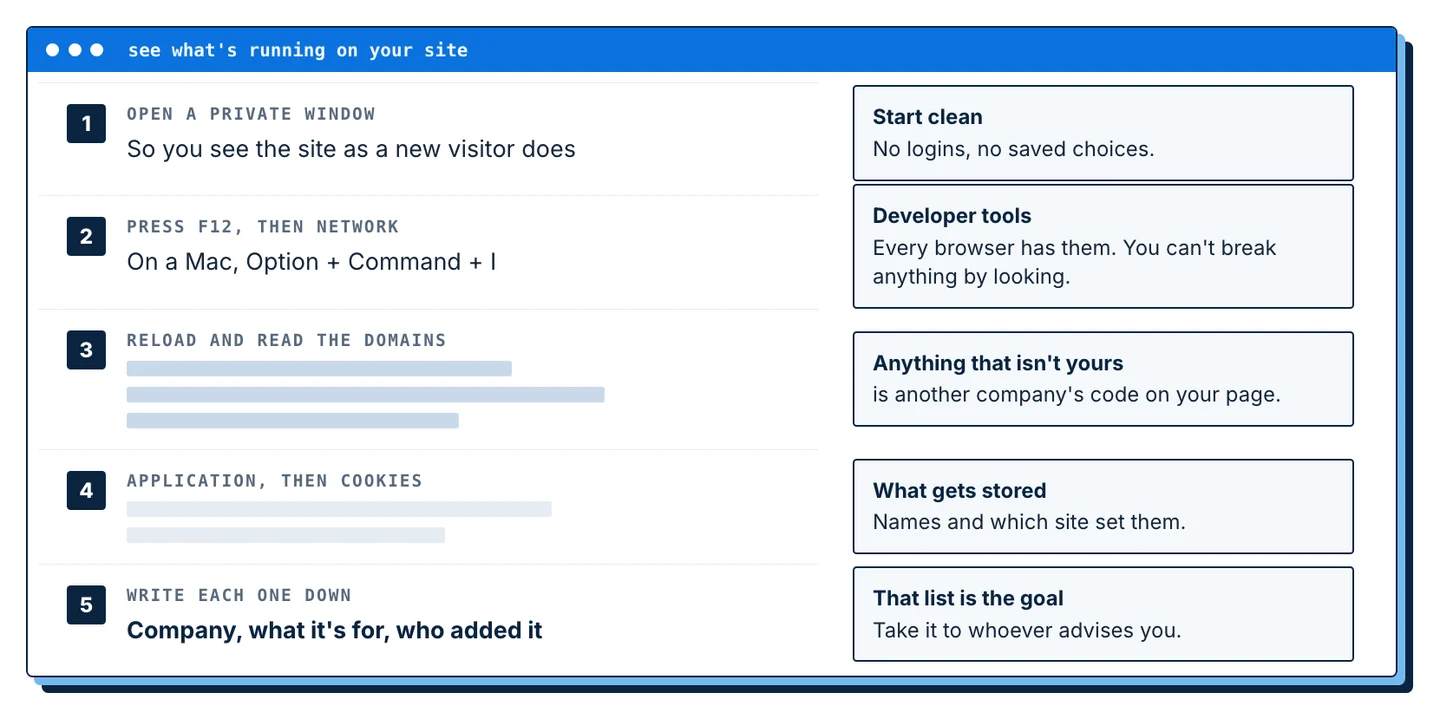
Names you don't recognize are normal. Search for each one and you'll usually find it's a font, a video player, an analytics tool or a chat service. Do this on your home page, your contact page and any page with a map or a video.
Ask whoever built it
- Which plugins or apps send information somewhere else?
- Is there a tag manager, and what's in it?
- Where do form entries get stored, and for how long?
- Who has a login?
- Is anything still connected to an old agency or employee?
Clear out what you don't use
This part is plain housekeeping. An old chat widget or a second analytics tag slows your site down and sends information to a company you don't work with anymore. Have it removed. The same goes for logins that belong to people who left.
Keep the list current
Put the date on it. When you add a form, a widget or an ad tag, add a line the same day. Check the whole thing twice a year, when you do the rest of your maintenance.
Then take it to someone qualified
Bring the list to a lawyer and ask what applies to your business, what your privacy policy should say, and whether you need a cookie banner or anything else. Your web person can then build exactly what you've been told you need.
Want to know what else is on your pages? The free SEO page audit checks speed, images and structure.