

Your contact page is the last step between an interested visitor and a real conversation. It's also where a lot of them quietly give up: too many fields, no idea what happens next, or a form that looks like it goes nowhere.
Here's how to build one people finish, with two real examples.
Give the form a heading that says what happens
"Contact Us" tells people where they are. A better heading tells them what they'll get. On Kim Kalman's site, an Outer Banks wedding and event singer, the form's heading went from "Contact Kim" to "Check Kim's Availability". That's the exact question a bride or a party host has, so it's the exact thing the form should promise.
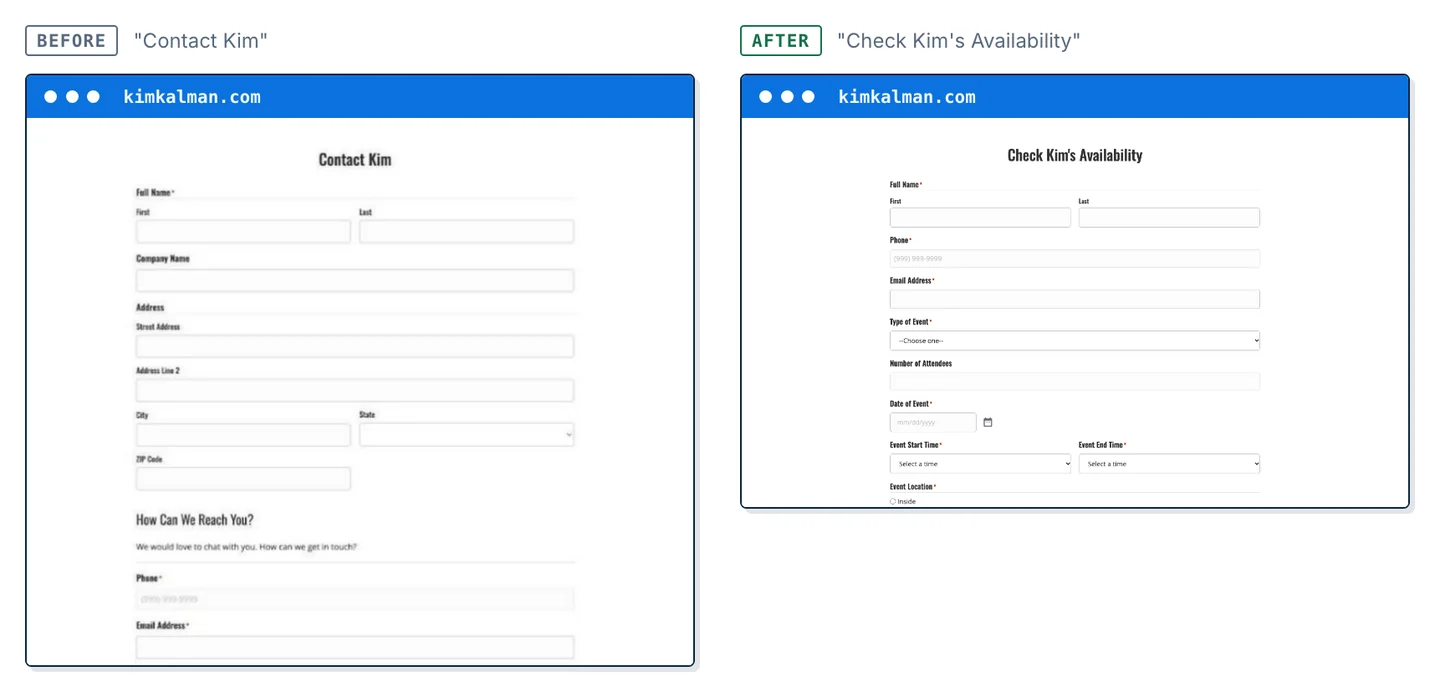
We also took out a few extra headings and lines that sat in the middle of the form and broke it into pieces, so it reads as one flow from top to bottom.
Ask for the right few things
Every field you add loses a few people. Ask only for what you need to have a useful first conversation.
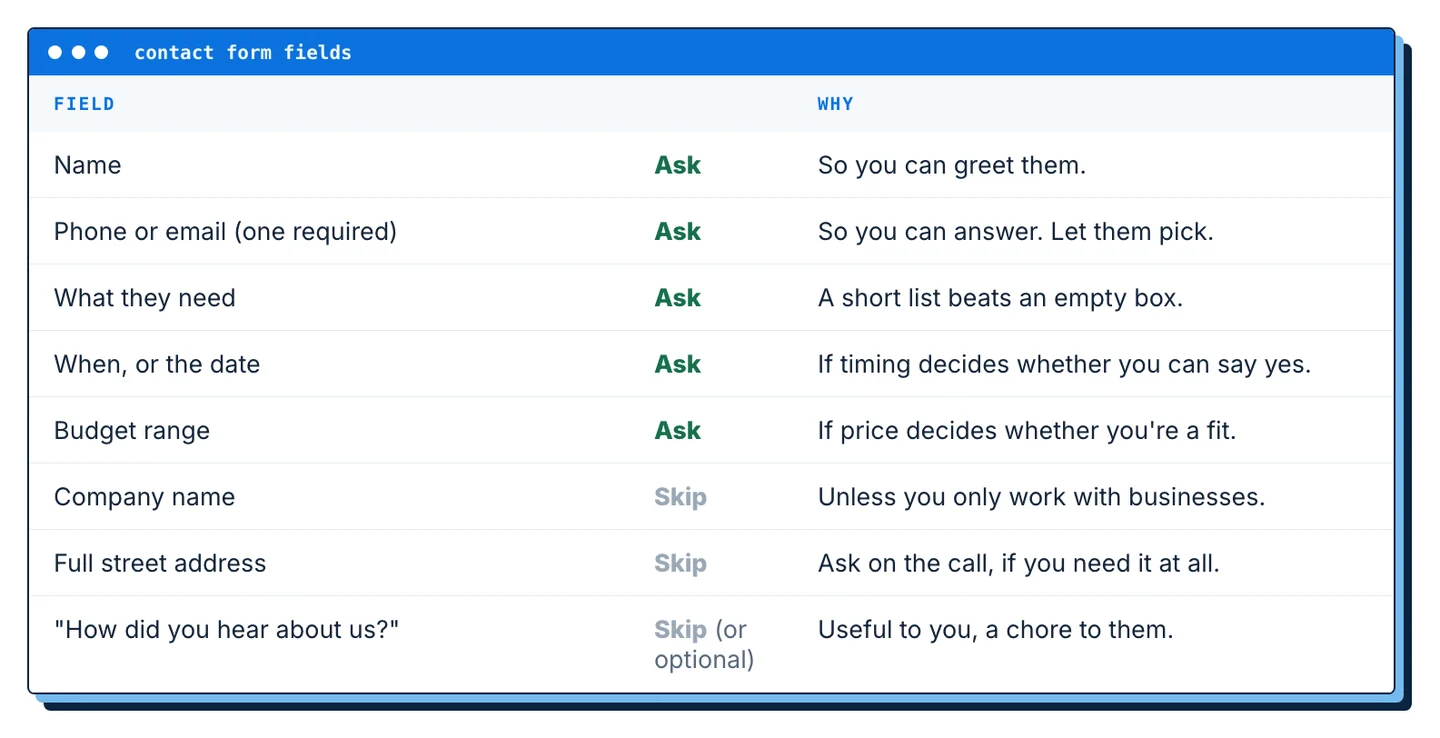
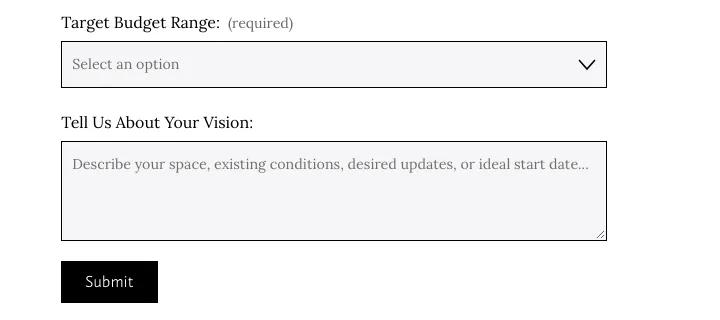
The fields that earn their spot depend on what decides a yes. For Kim, it's the date and the type of event, because that's what decides whether she can say yes. For Burke Black Design Build, a Chicago remodeler, it's the kind of project and a target budget range.
Say when you'll reply
Right above or below the button: "I reply within one business day." Then do it. A form without a promise feels like dropping a letter in a box you're not sure anyone checks.
Send an automatic reply
The moment someone submits, they should get an email saying it arrived, what happens next and when. Short, friendly and signed by a real name. And make sure the form actually reaches you: send yourself a test message every month. Forms break quietly, especially after updates.
Give people another way
Some people would rather call or text. Put your phone number on the page as a tap-to-call link, and your email if you check it. Burke Black's contact page puts "Call us directly" right above the form, so people pick.
The details Google needs
For a local business, the contact page is where Google confirms who and where you are. Include:
- Your business name, address (or service area) and phone, written exactly the way they are on your Google Business Profile.
- Your hours.
- A map, if customers come to you.
- The areas you serve, if you go to them.
If your listing and your site don't match yet, start with how to set up your Google Business Profile.
Check it on your phone
Most people will fill in your form on a phone. Do it yourself, start to finish, with your thumb. If it's annoying for you, it's annoying for them.
"Could someone reach you in under a minute on their phone?" is one of the ten questions on my free checklist. Or run the free website gap checker and it'll check your forms for you.
The Website Gap Checklist
Find out in five minutes why your website isn't bringing in customers, and know exactly what to fix first so more visitors call, book and buy.
Your checklist is downloading.
Didn't start? Download the PDF here.
Rather have it checked for you? Run the free website gap checker on your site.