

A lot of business owners don't know where their domain is registered or who their host is. Usually because someone else set it up years ago. That's fine until the day you need to change something, or until it quietly expires.
Here's what each one is, how to find yours in two minutes, and how to share access without ever handing over a password.
Domain, hosting, website
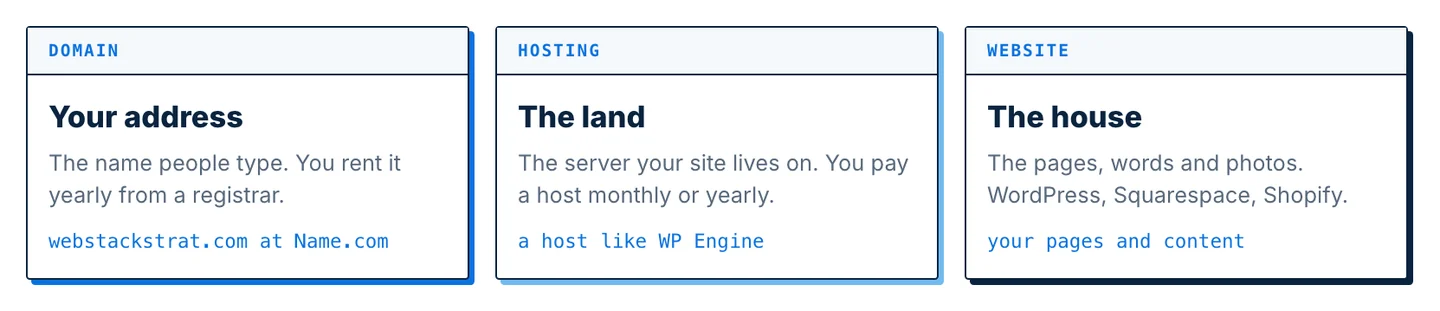
- Your domain is your address, like webstackstrat.com. You rent it yearly from a company called a registrar.
- Your hosting is the land: the server your website lives on.
- Your website is the house: the pages, words and photos.
They can all be at one company, or at three different ones. Your domain also controls your email, which is why it matters so much who holds it.
How to find where your domain is registered
Go to lookup.icann.org, type in your domain and look at the registrar. That's the company where your domain account lives. Here's what it shows for this site:
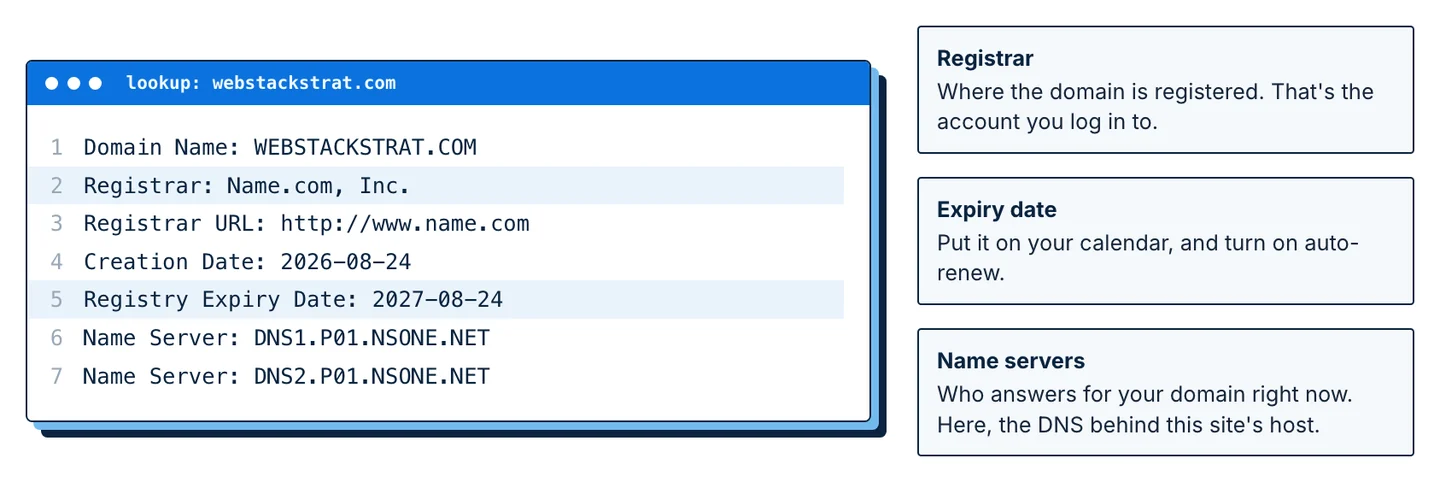
My domain is registered at Name.com. The record also shows when it expires and its name servers, which is who answers for the domain right now. Now search your email for that registrar's name. The account it was set up under is the one you need to log in to.
How to find your hosting
Search your email for "hosting", "renewal" or "invoice" around the date your site was built. Or ask whoever built it. A free "who is hosting this site" lookup will usually name the host too.
Own both in your own name
Your domain and hosting should be in an account you control, with your email and your card. If an old agency, a former employee or a relative holds them, get them moved into your name now, while things are calm. Losing control of your domain means losing your website and your email at the same time.
How to give someone access safely
Most registrars let you add another person to your account with limited permissions, so you never share your password. Look for:
- GoDaddy: Delegate Access.
- Namecheap: Share Access.
- Squarespace Domains: Permissions.
- Cloudflare: Members.
- Others: anything called users, team, members or delegate.
Invite your web designer with their own email. Give them permission to manage DNS, not to transfer or delete the domain. Remove them when the work is done.
If someone else holds your domain
Ask them to move it to your account. Most registrars have a simple "push" or "change of account" for that. If they won't or can't, contact the registrar with proof you own the business. It takes longer, but it's your name and they'll help. Start this before you need it.
Never change DNS blindly
DNS is the set of records that point your domain at your website and your email. Change the wrong one and your email stops arriving. If someone asks you to change DNS, have them do it with their own access, and ask them to keep your email records exactly as they are.
Put the expiry date on your calendar
Turn on auto-renew, make sure the card on file is current, and put the expiry date on your calendar anyway. An expired domain can be bought by someone else.
Next step: give your designer access to the website itself with their own WordPress login, and to your hosting with the right role.