

Hosting is where your website lives. Pick a bad one and your site is slow, goes down, or gets hacked. Pick a good one in someone else's name and you can lose your site when that relationship ends. Here's how to pick the right kind, what it really costs, and how to let your web designer in without giving away the keys.
Hosting vs domain vs website
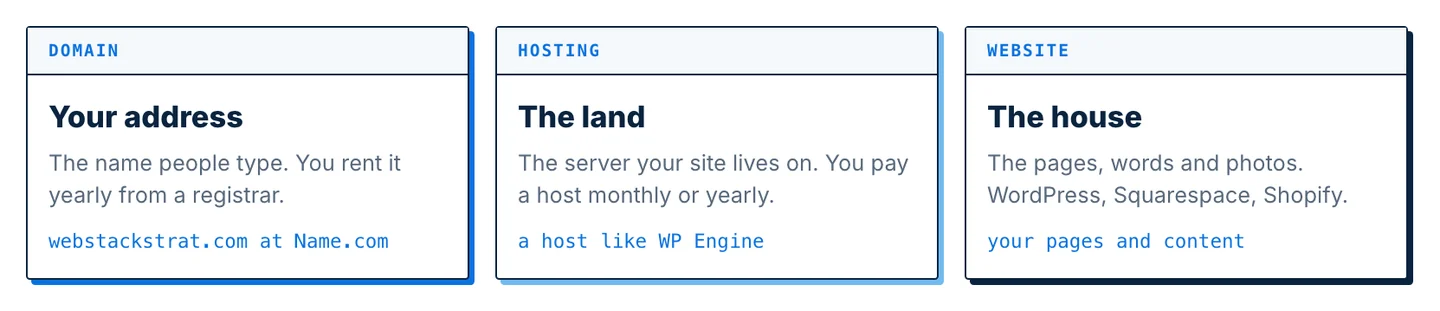
Three different things, often bought from three different places. Your domain is your address. Your hosting is the land. Your website is the house. I go deeper on the first two in domain vs hosting.
What a small business site needs
- Speed: pages that load fast on a phone.
- Backups: daily, kept somewhere other than your server, and easy to restore.
- Security: a firewall, malware scanning and automatic security updates.
- Support: real people who know WordPress and answer the same day.
- SSL: the padlock in the browser. This is free almost everywhere now.
Shared vs managed WordPress hosting
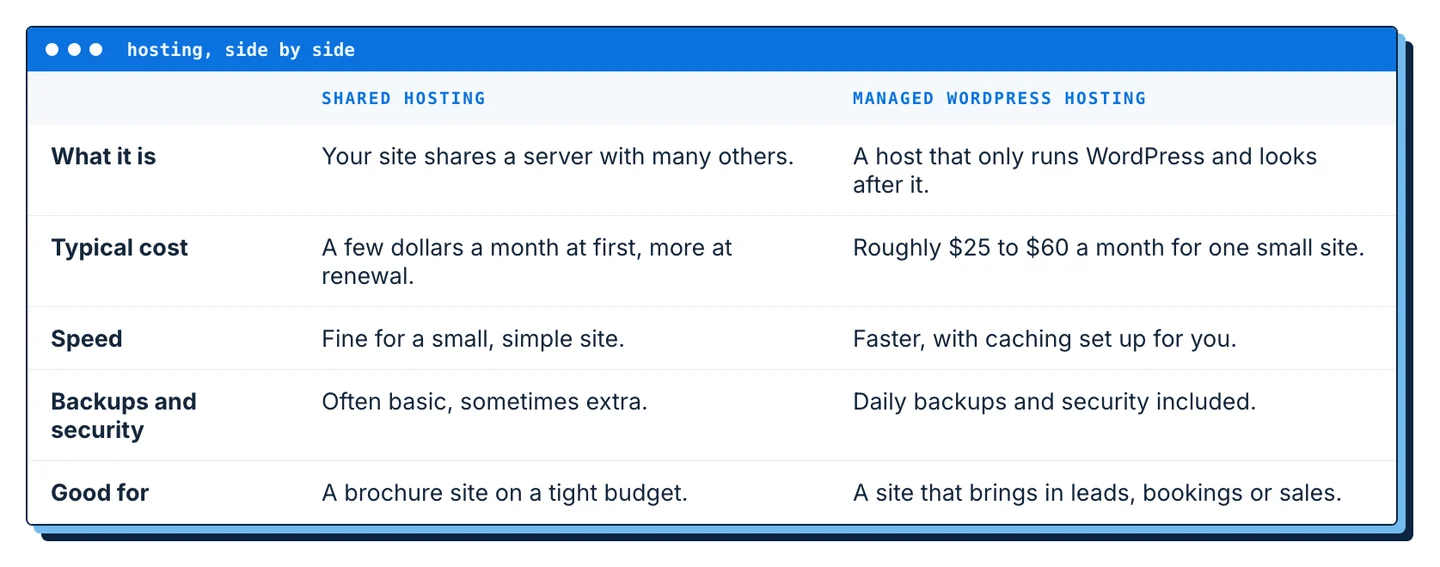
Shared hosting puts your site on a server with lots of others. It's cheap and fine for a small, simple site. Managed WordPress hosting, from hosts like WP Engine or Kinsta, only runs WordPress and handles speed, backups and security for you. If your site brings in leads, bookings or sales, managed is usually worth it.
The cheap first year
A lot of hosting is sold at a steep discount for the first term, then renews at full price. Before you buy, look for the renewal price, not just the sale price, and do the math for three years, not one. A site that costs $3 a month this year might cost $12 next year, and moving hosts later costs more than either.
Buy it in your own name
Your hosting account should be in your name, with your email and your card. If a designer or agency buys it for you, it's theirs, and so is your site. Hosting sitting in an old agency's account is one of the most common ways businesses lose access to their own website. Own it, then invite people in.
How to give your designer access
Most good hosts let you invite another person to your account with their own login. Look for a section called Users, Team, Collaborators or Delegate access in your hosting dashboard.
- Invite them with their own email address.
- Pick a role that lets them manage the site: installs, backups, settings.
- Don't make them an owner, and keep billing access for yourself.
- When the work is done, remove them the same way.
If your host doesn't allow invitations, that's a sign it may not be the right host. As a last resort, change your password before and after they work, and turn on two-step login.
What they actually need it for
Your designer needs hosting access for a few specific jobs: installing WordPress, setting up backups, moving a site from one host to another, and launch day. For day-to-day changes, a WordPress login is enough. Here's how to set that up.
When it's time to switch
Slow pages, regular outages and support that never answers are all signs. I wrote a whole post on when it's time to switch web hosts. And if you're paying for hosting but nobody is actually looking after the site, that's what a maintenance plan is for.