

Nobody can see your work before they hire you. There's no kitchen to photograph. So people inspect what they can: who you are, whether you've handled something like their problem, and whether the first call is going to be uncomfortable.
That changes which pages matter. For most firms it's Home, Services, Case Studies, Team, FAQ and About, and the order people read them in is rarely the order in your menu.
What they're checking, in order
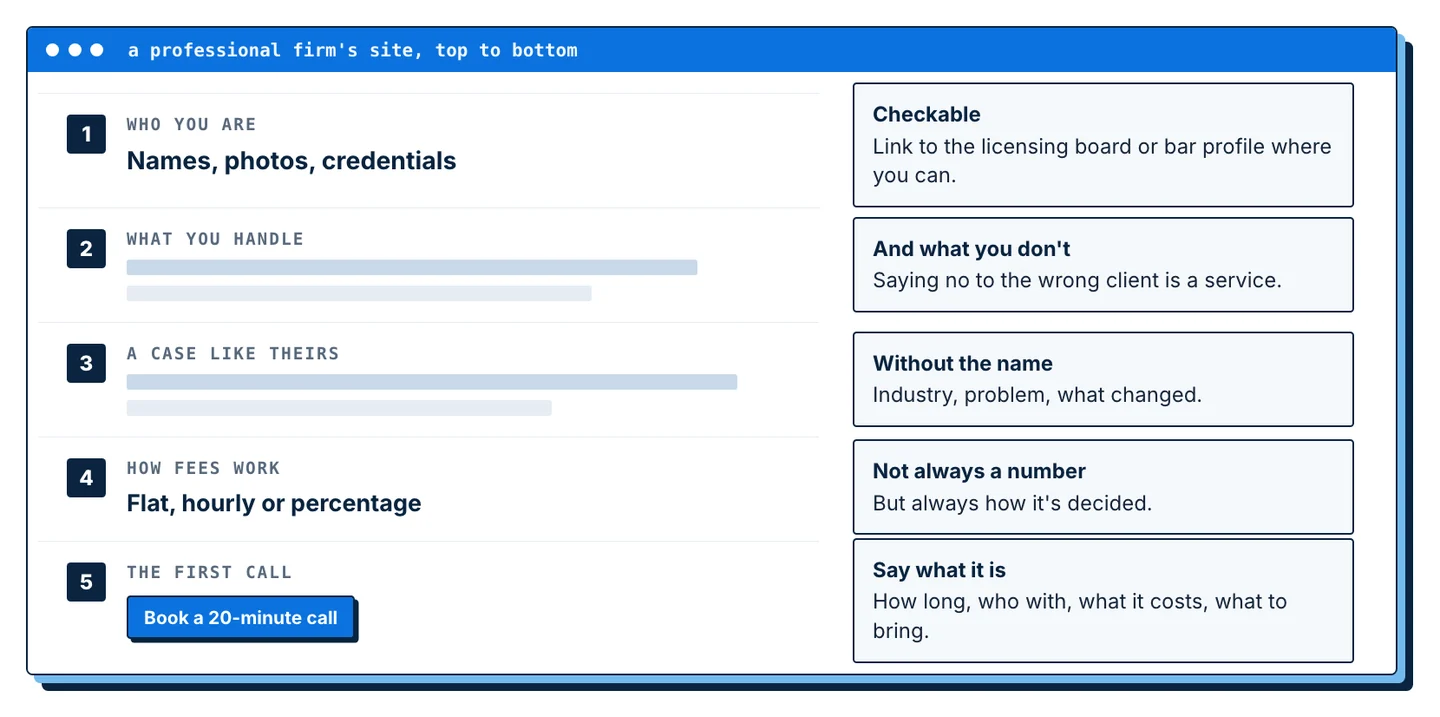
Notice what's near the top: names and credentials. A headshot, a license, where you're admitted, how long you've practiced. Link to the public profile that proves it when there is one. Anything a person can check for themselves is worth more than anything you say about yourself.
Say what you don't handle
It feels like turning away business. It does the opposite. "We work with owners of restaurants and bars. We don't handle personal injury" makes the right person feel found, and saves you the wrong calls.
Case studies when you can't name anyone
This is where most firms give up and publish nothing. Often you don't need the name. You need the type of client, the problem, what you did and what changed. Whether you can publish that, and how much to leave out, is a question for whoever handles compliance at your firm.
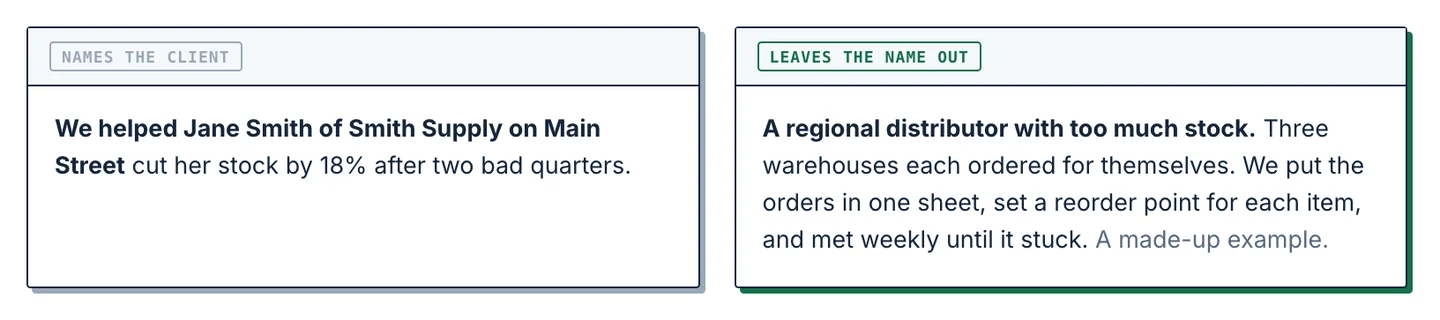
I do it too. One of my own case studies is about a repeat client with an annual awards program. It doesn't name them. You still learn what the problem was, what got built, and why they haven't needed a rebuild since.
Get it approved before it goes live
Many professions have their own rules about what you can say in public, including results, reviews and testimonials. We build websites and software, so I can't tell you what yours allow. Have the right person approve those pages before they're published, and leave time for it in your schedule.
Explain fees without a price list
If a price list doesn't fit how you work, a short explanation of how the price is decided often does: flat fee, hourly, percentage, retainer, and what makes it go up. "Simple returns are a flat fee. If you own rental property, we quote it after a ten-minute look." More ways to show prices if yours can be put into packages.
Make the first call small
"Contact us" asks for a leap. "Book a 20-minute call. It's free, it's with me, and bring last year's return" asks for a step. Say how long, who with, what it costs and what to have ready. That one paragraph does more than another page of credentials.
Where the FAQ earns its place
Your clients ask the same eight questions before they hire you, and they ask them at night. Answer each one in the first sentence. Here's how to write an FAQ that people and AI assistants can both use.
The Website Gap Checklist
Find out in five minutes why your website isn't bringing in customers, and know exactly what to fix first so more visitors call, book and buy.
Your checklist is downloading.
Didn't start? Download the PDF here.
Rather have it checked for you? Run the free website gap checker on your site.