

A restaurant website has the most impatient visitors on the internet. They're in a car, or standing on a corner with three friends. They want to know if you're open, what you serve and where you are, and they'll give you about ten seconds.
Six people, six questions
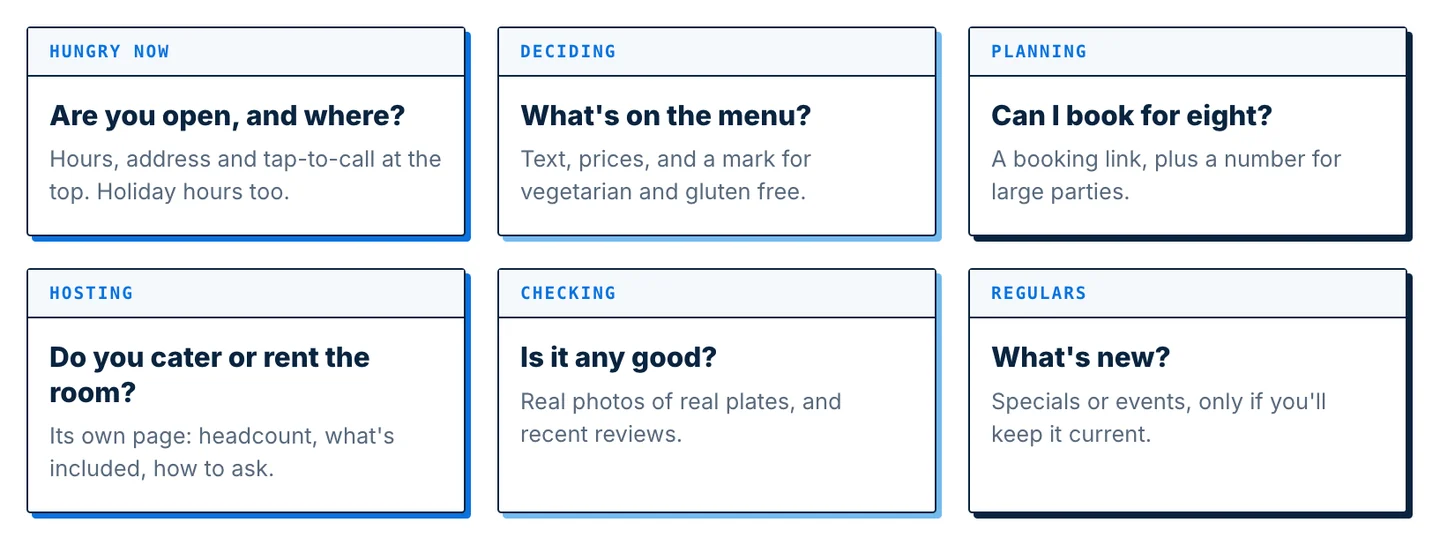
That usually becomes Home, Menu, Reservations, Catering or Private Events, Gallery, and Hours and Contact. Two of those deserve most of your effort.
Put the menu on the page
The PDF menu is the most common problem on restaurant sites, and it's easy to understand why. The designer already made one for print. But on a phone it's a tiny sheet of paper that people have to pinch around.
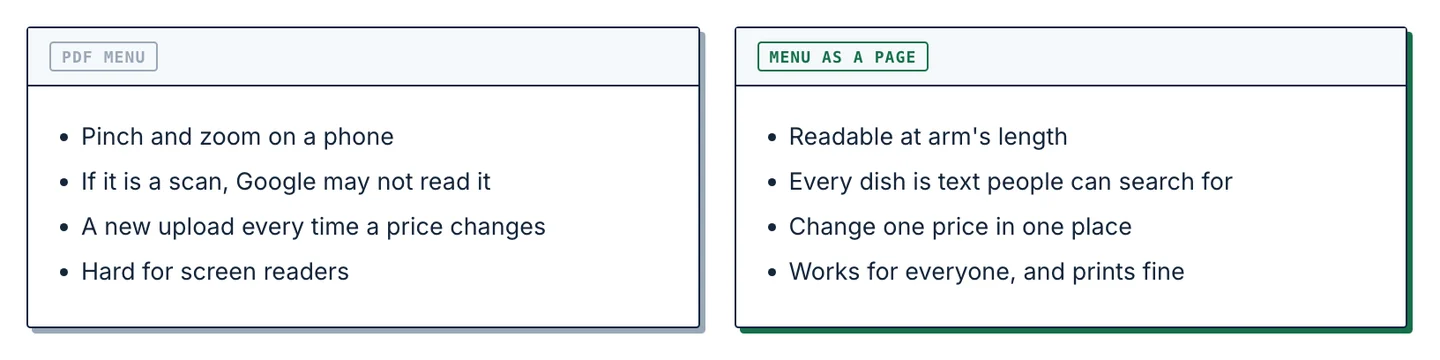
Type it out: dish, one line of description, price, and marks for vegetarian and gluten free. Now "birria tacos near me" has something on your site to match. Keep the PDF too if people like to print it, as a small link underneath.
Hours, and the hours that aren't normal
Wrong hours cost you twice: the person who shows up to a locked door, and the review they leave. Keep them in one place on your site and make the same change on your Google Business Profile the same day. Set holiday hours in both before the week they happen. If your kitchen closes before your bar does, say so.
The page most restaurants forget
Catering and private events. One booking can be worth a slow Tuesday, and the person planning it is looking for very specific facts:
- How many people you can seat, and how many standing.
- What's included, and what a typical spend per person is.
- Whether they can bring a cake, a band or their own wine.
- How far you'll deliver, and how much notice you need.
- A short form that asks for the date, the headcount and the occasion.
Give it its own page, with its own photo of the room set up. It's the one page on the site where a longer form is fine.
Photos that make people hungry
Shoot near a window, in daylight, from the angle you'd see the plate from your chair. Shoot the dishes you actually sell most. A slightly imperfect photo of your real food beats a perfect stock photo of somebody else's. The shot list and the light are in a separate post.
Keep the rest short
Your story matters, and it fits in three paragraphs. If you hire often, a jobs page is worth having. Skip autoplaying music, skip the intro video, and skip the pop-up that covers the hours.
Then test it the way your customers use it: on a phone, outside, with one hand.
The Website Gap Checklist
Find out in five minutes why your website isn't bringing in customers, and know exactly what to fix first so more visitors call, book and buy.
Your checklist is downloading.
Didn't start? Download the PDF here.
Rather have it checked for you? Run the free website gap checker on your site.