

The photos do more for a small business site than the design does. I can build a beautiful layout around stock photos of strangers shaking hands, and it'll still feel like nobody's home.
The good news is that a recent phone, a window and an afternoon will get you most of the way. If you can hire a photographer, do it, and give them this same list.
The list
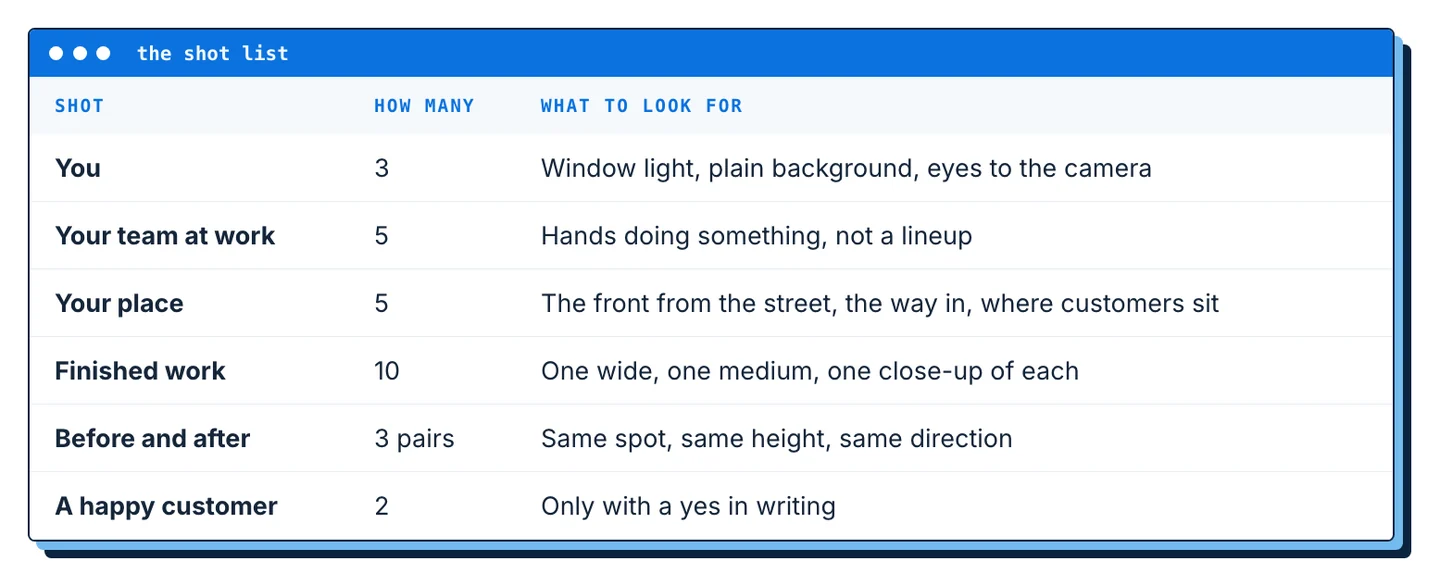
You won't use them all. You want choices, especially for the first thing people see.
Light first, everything else second
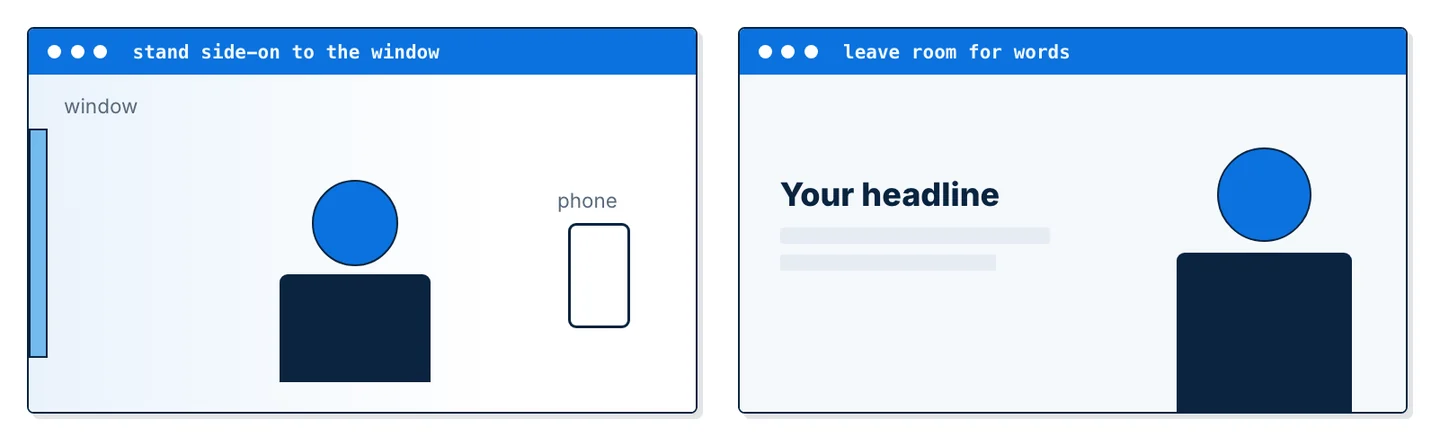
Turn off the overhead lights. Stand the person a few feet from a big window, side-on to it, so the light falls across their face. No flash. Outdoors, go early, late, or stand in open shade. Noon sun makes everyone squint.
Leave room for words
The big photo at the top of a website usually has a headline on it. Shoot that one wide, hold the phone sideways, and put the person or the building to one side with nothing busy on the other. Take the same shot upright too. Phones show your site tall, and cropping a wide photo tall usually cuts somebody's head off.
Five habits
- Wipe the lens. It's been in your pocket.
- Use the normal lens, step closer, and don't pinch to zoom.
- Tap the face on the screen so it focuses there.
- Lean on something, and take ten. Pick one later, on a bigger screen.
- Look at the edges before you press. Move the trash can.
People looking like people
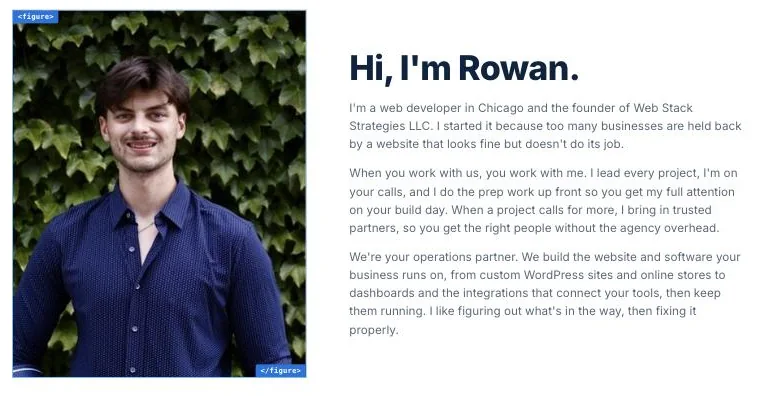
Give hands something to do. Ask a question right before you shoot, and take it while they're answering. For a portrait, keep the background plain and the eyes on the camera. Mine is me in front of some ivy, on the home page, so people know who's going to call them.
Before and afters
Stand in the same spot, at the same height, pointing the same way. Put a piece of tape on the floor on day one. It's the cheapest proof you'll ever make, and it can't be redone once the job starts.
Send the originals
Don't screenshot them, don't text them, and don't run them through a filter. Texting shrinks them. Use a shared folder or an upload link and let whoever builds the site resize them. It's much easier to make a big photo small than the other way around.
What to leave out
- Stock photos people have seen before.
- Anything you found on Google. It belongs to someone.
- A customer, or a customer's home, without a yes in writing.
- License plates, house numbers and paperwork on the desk.
When you're ready to upload, name and describe them properly. It takes a minute each and helps people find them.