

Your website is written for people. Google and AI tools read it too, but they have to guess which number is your phone, which line is your address and what you actually sell. Structured data takes out the guessing.
It's a small block of code, invisible to visitors, that states the facts about your business in a format machines understand: your name, address, phone, hours, services, reviews and questions. Here's what it is, which kinds matter for a small business, and how to check yours.
What it looks like
Here's a trimmed version of the structured data on this site. On the left is what a visitor sees. On the right is what Google reads.
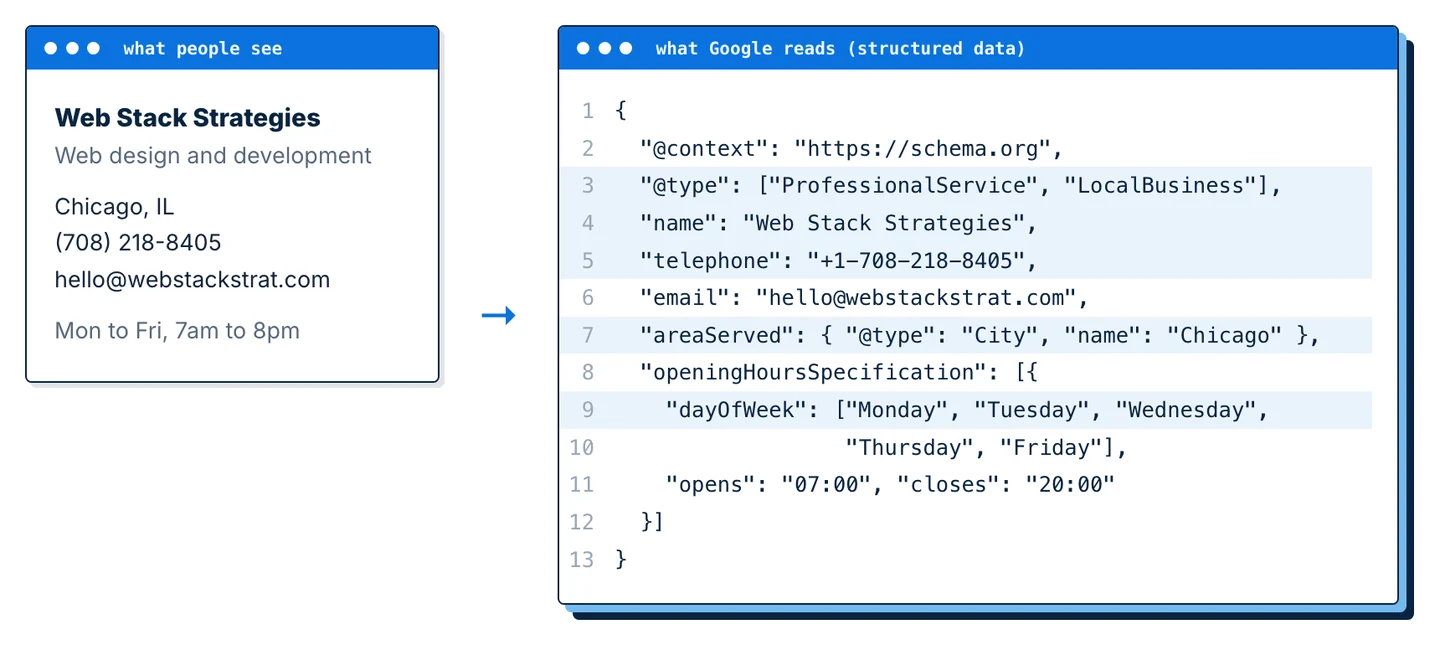
Same facts, written twice. The code version leaves nothing to interpret: this is the business, this is its phone number, these are its hours.
The types a small business needs
There are hundreds of types on schema.org. A small business needs about five.
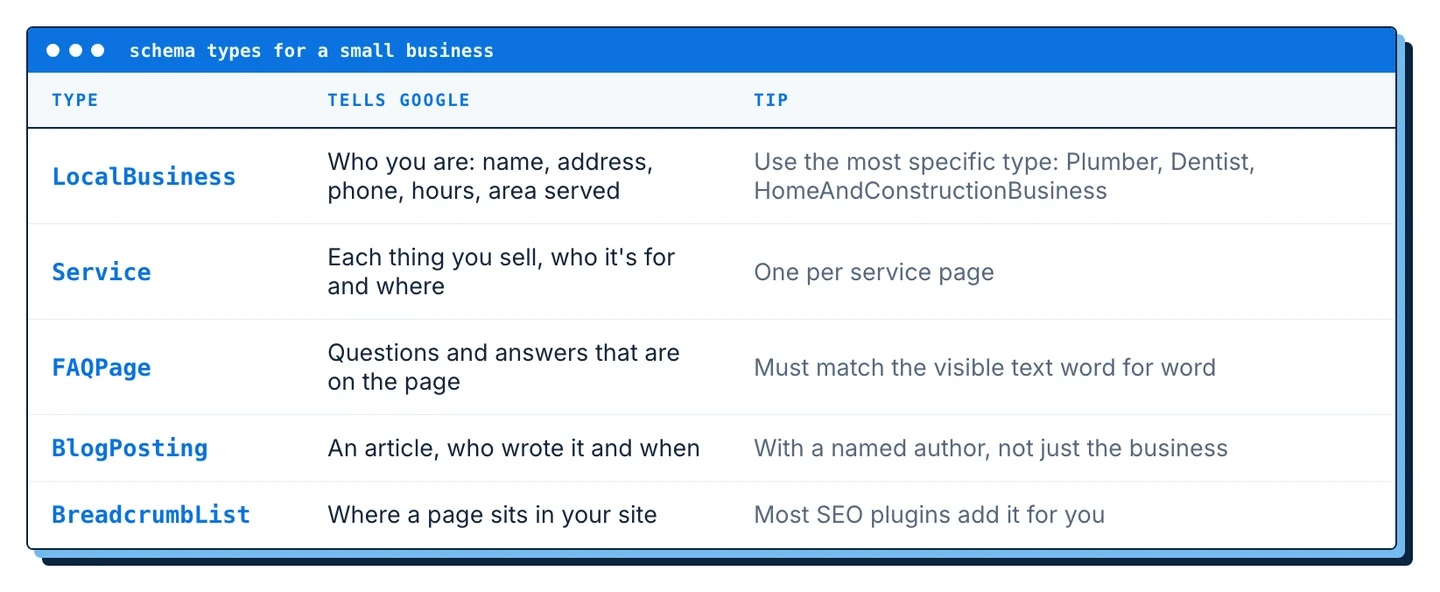
- LocalBusiness: who you are and where. Use the most specific type that fits you, like Plumber or Dentist, instead of the general one.
- Service: each thing you sell, ideally one on each service page.
- FAQPage: the questions and answers on a page.
- BlogPosting: your articles, with a named author. Every post on this blog has one with my name on it.
- BreadcrumbList: where each page sits on your site.
What it does, and what it doesn't
It helps Google understand and connect the facts about your business, and it makes your pages eligible for some extra features in search results. AI assistants lean on clean, consistent facts too, and structured data is the cleanest version of your facts there is.
What it doesn't do is push you up the rankings by itself. It won't save a thin page. And some features have been cut back: Google stopped showing review stars for businesses reviewing themselves back in 2019, and the expandable FAQ results in 2023 for most sites. Be wary of anyone promising stars in your search results from markup alone.
What you probably already have
Most WordPress SEO plugins add the basics automatically. Reel Chicago's home page, for example, already includes WebSite, Organization and BreadcrumbList markup. What's usually missing on a small business site is the part that's specific to you: the LocalBusiness details, your services and your FAQs.
Keep it accurate
Structured data has to match what's on the page, and what's on your Google Business Profile. If your hours change, change them in both places. Markup that says something the page doesn't gets ignored, and markup that's misleading on purpose can get a site penalized.
How to check yours
- Paste a page into Google's free Rich Results Test. It lists every type it finds and any errors.
- For a full readout, use the Schema.org validator at validator.schema.org.
- Or view the page source and search for "application/ld+json".
- The free SEO page audit on this site also scores structured data and local signals as one of its nine areas.
How to add it
On WordPress, an SEO plugin handles most of it, and you fill in your business details in its settings. For anything it doesn't cover, a developer can add one block of code to the site's header. Keep it in one place so it's easy to update.
If you're writing questions for an FAQPage, start with how to write an FAQ page that wins search and AI answers. For everything else each page needs, see the on-page SEO checklist.