

On-page SEO sounds technical. Most of it isn't. It's making each page say clearly what it's about, in the places Google reads first, and making sure nothing stops Google from reading it at all.
This is the checklist I use before a site goes live. The first six items do most of the work, and you can fix them yourself in an afternoon. The rest is how the page is built and whether Google can actually see it.
Before you start: one page, one phrase
Every page should be built to show up for one main phrase: the words a customer types when they need you. For a local business that's usually the service plus the place, like "kitchen remodel Chicago" or "emergency plumber Oak Park".
Pick one per page, and don't give two pages the same one. If your home page and your services page both chase "plumber Chicago", they compete with each other and neither wins. Write each page's phrase down before you touch anything else.
What the page says
1. Title tag
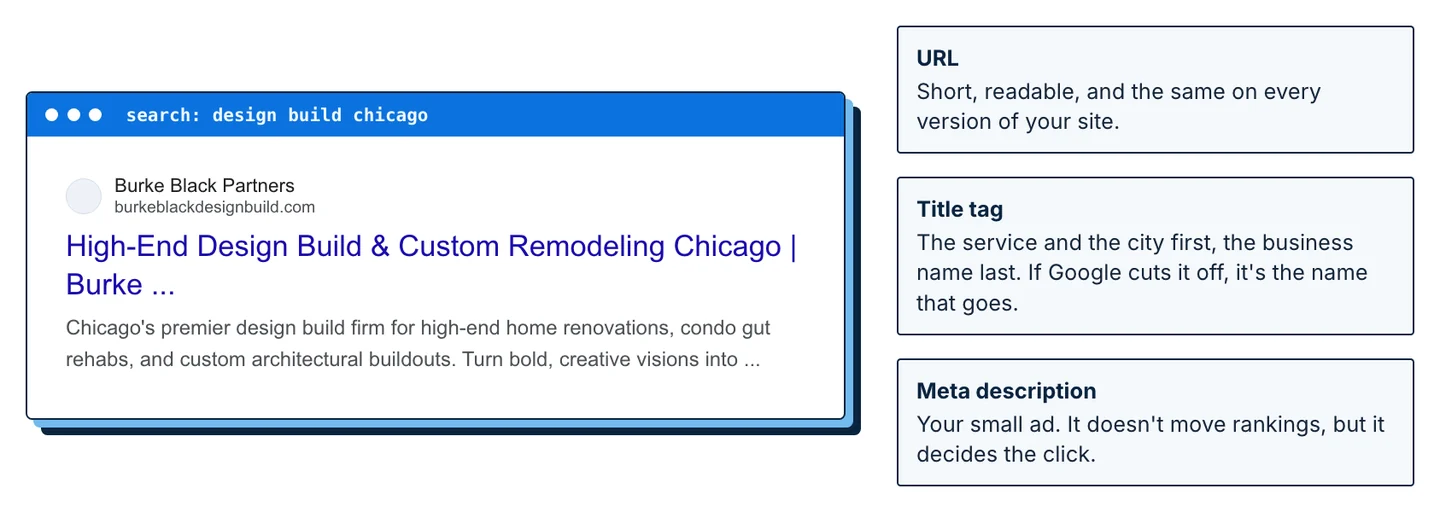
The title is the blue link people click in Google, and the strongest hint you give about what a page is for. Put your phrase near the front and your business name at the end, and aim for about 60 characters so it doesn't get cut off. Every page needs its own.
A real one, from the Burke Black Design Build home page: "High-End Design Build & Custom Remodeling Chicago | Burke Black Partners". The service and the city come first, the name comes last. It runs a little long, and that's fine here: if Google cuts anything off, it's the name at the end, not the words people searched for.
2. Meta description
The two lines of grey text under the link. It doesn't move your ranking, but it decides whether people click. Write it like a small ad: what they get, who it's for and a reason to pick you, in about 150 characters. Leave it blank and Google grabs whatever sentence it likes from the page.
3. One main heading (H1)
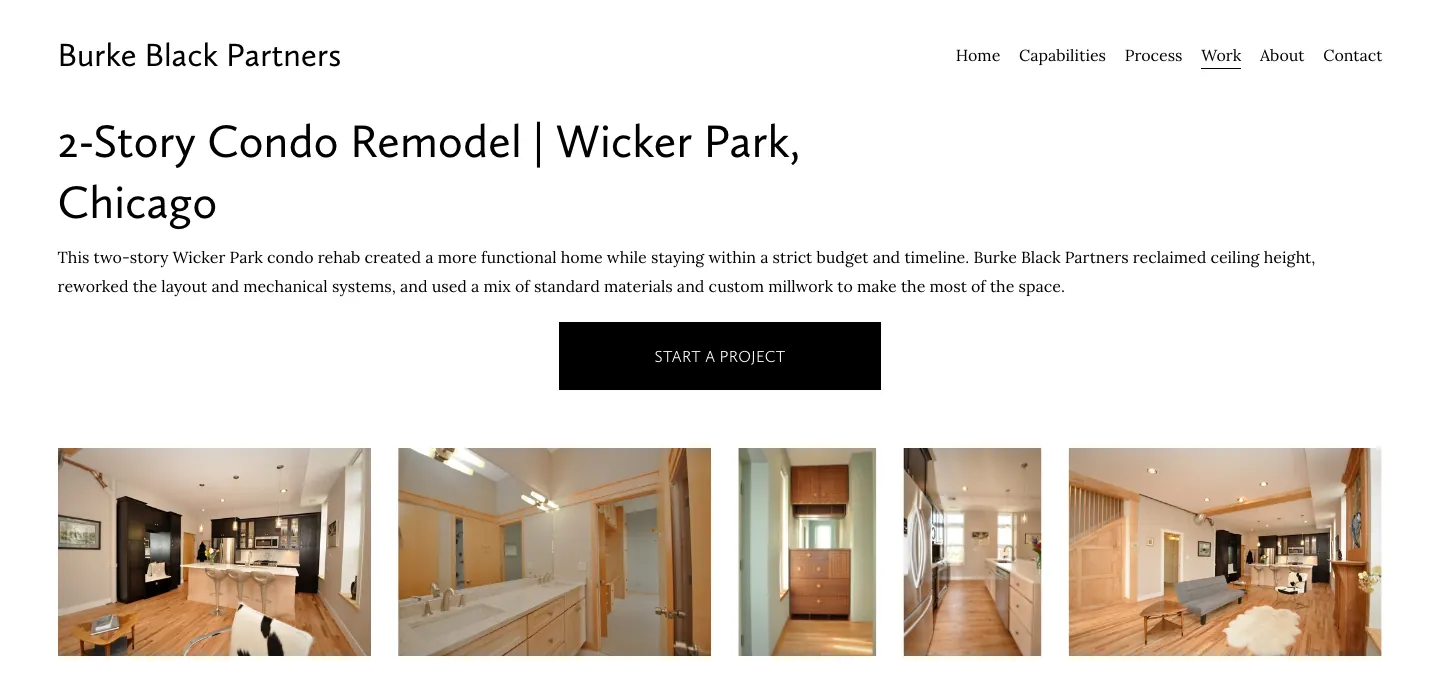
The big headline at the top of the page should say the same thing as the title, in human words. One per page. A lot of themes and page builders style text to look like a big heading without making it a real H1, so check the code or run the free checker at the end of this post.
4. Your phrase in the first paragraph
Say it, or something very close, early and naturally. Google and people both decide what a page is about from the opening lines.
On the Burke Black project pages, the headline names the job and the neighborhood, and the first sentence says it again in plain words.
5. Subheadings that answer real questions
Break the page up with headings phrased the way customers ask: "How much does a kitchen remodel cost in Chicago?", not "Pricing". Answer each one in the first sentence under it. This is also what gets you quoted in AI answers. I go deeper on that in how to get your business recommended by ChatGPT.
6. Enough to actually answer the question
There's no magic word count. A page needs to fully answer what the person searched for: what it is, who it's for, what it costs or how pricing works, how it works, and proof. Three sentences and a stock photo won't outrank a competitor who answered all of that.
How the page is built
7. A short, readable URL
/kitchen-design-build, not /page?id=1234 or /services-2-copy. Use the phrase, hyphens between words, nothing extra. Set it before launch. Changing it later means setting up redirects, or the page loses what it had built up.
8. Images that are named, described and small
- Name the file before you upload it: wicker-park-condo-kitchen.jpg, not IMG_4471.jpg.
- Write alt text that says what the photo shows, for people using screen readers and for Google.
- Shrink them. A photo straight off a phone can be 5 MB. On a website it should usually be under 200 KB, ideally as WebP.
9. Links to your other pages
Link between your own pages with words that say where the link goes. "See our condo gut rehabs" beats "click here". Project pages should link to the service, services should link to related projects, and your important pages should be a click or two from the home page.
The Burke Black footer lists the Chicago neighborhoods they work in, and most of them link to a real project there. That's useful to a person and a clear signal to Google about where the business works.
10. Your name, address and phone on every page
For a local business, put your business name, address (or service area) and phone number in the footer of every page, written exactly the way they are on your Google Business Profile. I walk through matching the two in how to set up your Google Business Profile.
11. Structured data
A small block of code that tells Google exactly what your business is: name, address, hours, services, reviews, FAQs. Visitors never see it. Most WordPress SEO plugins add the basics. Check yours with Google's free Rich Results Test, and make sure the details match what's on the page.
Can Google read it?
12. Nothing is blocking it
This is the one that hurts most when it goes wrong, because nothing looks broken. A "noindex" setting left on from when the site was being built, or a robots.txt file that blocks crawlers, and the page never shows up.
I've seen this up close. A national entertainment news publisher came to me because new articles had stopped showing up in Google. The writing was fine. Their news sitemap was missing and their robots.txt didn't point to one, so Google wasn't finding new articles. Once we fixed both, their articles were back in the top results within three days. Here's the full story.
Check yours: open Google Search Console, go to Pages, and read the list of pages that aren't indexed and why.
13. It's in your sitemap
Your sitemap lists every page you want Google to find. Most platforms make one for you at yoursite.com/sitemap.xml. Submit it once in Search Console, and check it again after you add pages.
14. It loads fast and works on a phone
Google judges your site by the phone version. Open the page on your phone on cellular data, not Wi-Fi. If you're waiting, so is everyone else. Google's free PageSpeed Insights tells you what's slowing it down. It's usually images.
15. One address for the whole site
Your site should load at one version of your domain. http and https, www and no-www should all end up at the same address. If four versions of your home page load, Google has to guess which one is real.
A 10-minute audit for any page
Open one page and answer yes or no:
- Do I know the one phrase this page is for?
- Is that phrase near the start of the title, and is the title around 60 characters?
- Does the meta description read like a reason to click?
- Is there one H1, and does it say the same thing as the title?
- Is the phrase in the first paragraph?
- Are the subheadings real questions, answered right under them?
- Do the images have real file names and alt text?
- Does the page link to at least two related pages on my site?
- Are my name, address and phone on it, matching Google?
- Does it load fast on my phone?
Every no is a fix. Start at the top. That's roughly the order of how much each one matters.
Or let the free checker do it
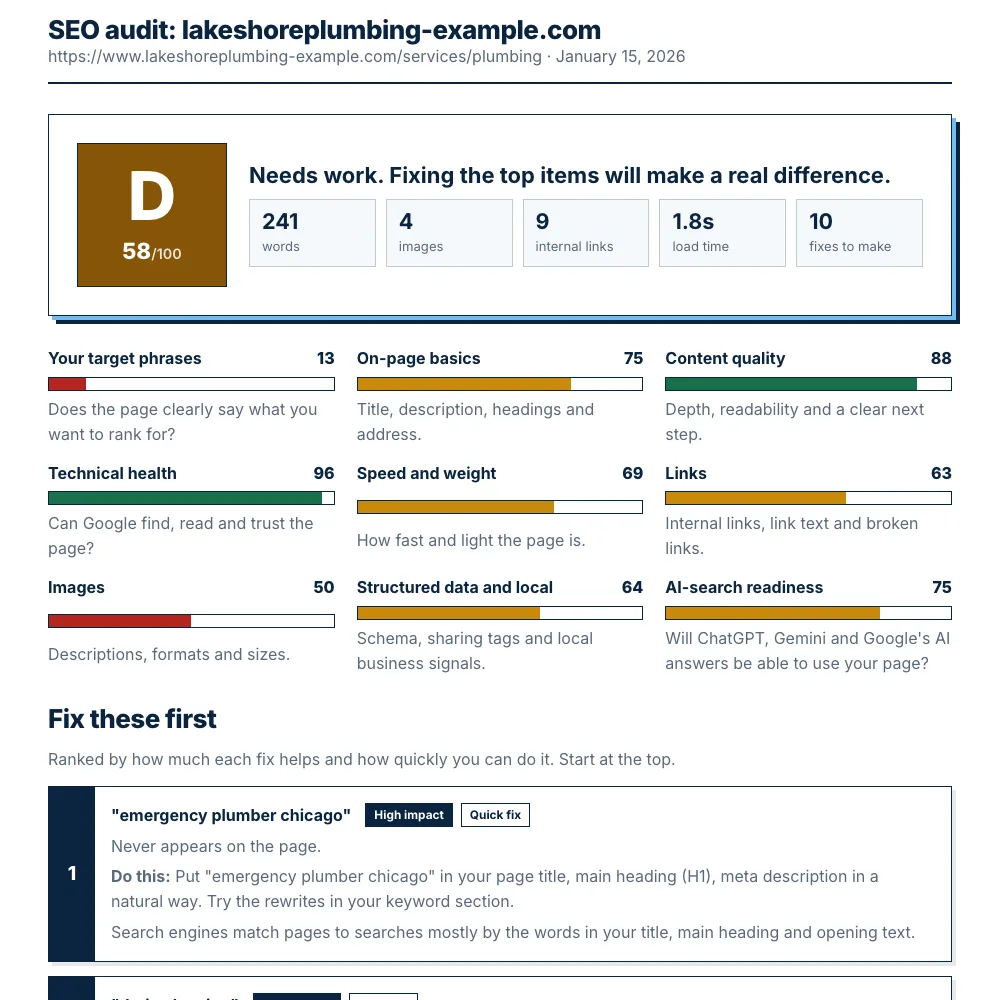
I built a free tool that runs most of this list for you. Enter a page and the phrase you want it to rank for, and you get a score across nine areas, a fix list ranked by impact, and a preview of how the page looks in Google.
Run the free SEO page audit on one of your pages. If you're still writing the words for the page, start with how to write website copy that turns visitors into customers.