

Every photo on your website has three things you can't see: a file name, a size, and a description called alt text. Most small business sites get all three wrong, and it costs them in two ways. People using screen readers hear "IMG underscore 4471". And Google, which can't fully see your photo, has less to go on.
Here's how to get all three right, in about a minute per photo.
What alt text is, and who it's for
Alt text is a short description of a photo, stored with the image. Screen readers read it out loud to people who can't see the page. Google reads it to understand what the photo shows. If the image doesn't load, the browser shows it instead.
The one-sentence formula
Who or what, doing what, where. Then stop. Read it out loud. If it sounds like you describing the photo to a friend on the phone, it's right.
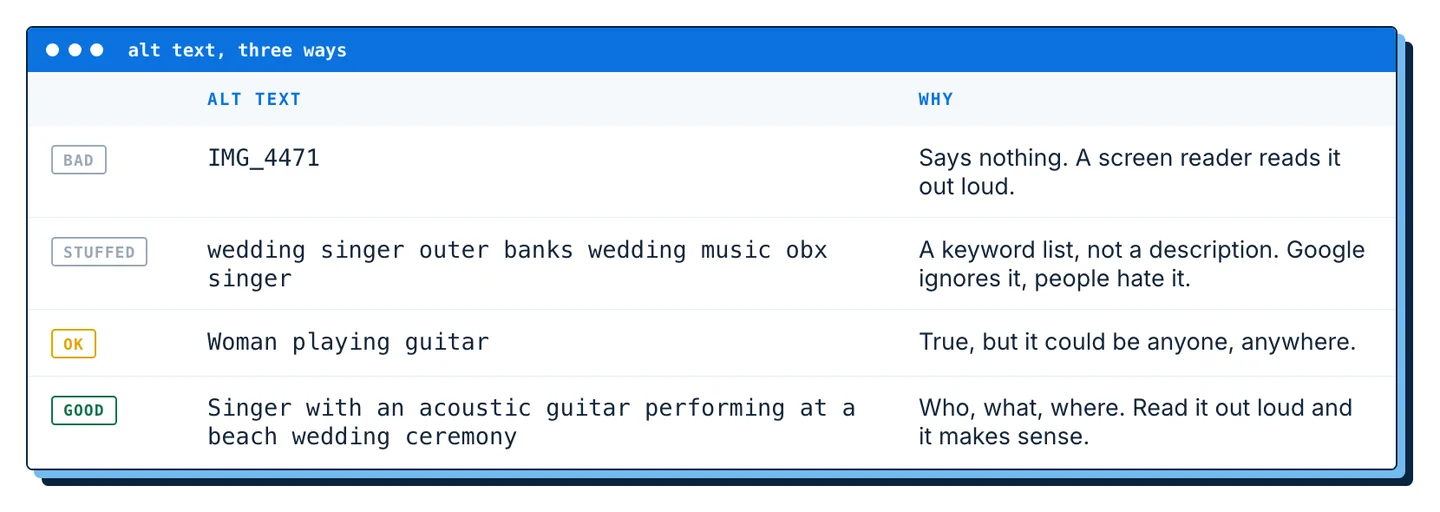
Name people when it's your team or a client who's fine with it. Name the place when it matters to your business. Don't repeat "photo of" or "image of". Screen readers already say it's an image.
Don't stuff it
Alt text isn't a place to cram keywords. "Wedding singer Outer Banks wedding music OBX singer" helps nobody and reads badly to the people who actually hear it. One natural mention of what the photo shows is plenty.
Captions are different
A caption is visible text under a photo, for everyone. Use it when the photo needs context: what project this is, what changed, when it happened. Alt text describes the photo. A caption explains why it's there. Every image on this blog has both.
Put the right photo first
Google tends to pick up the first strong photo on a page. On Kim Kalman's About page, a photo of her grandfather, a 1940s bandleader, used to come before her own. We moved Kim's photo first, so the first face on the page is the person you'd be booking, and it's the first photo Google sees.
Name your files before you upload
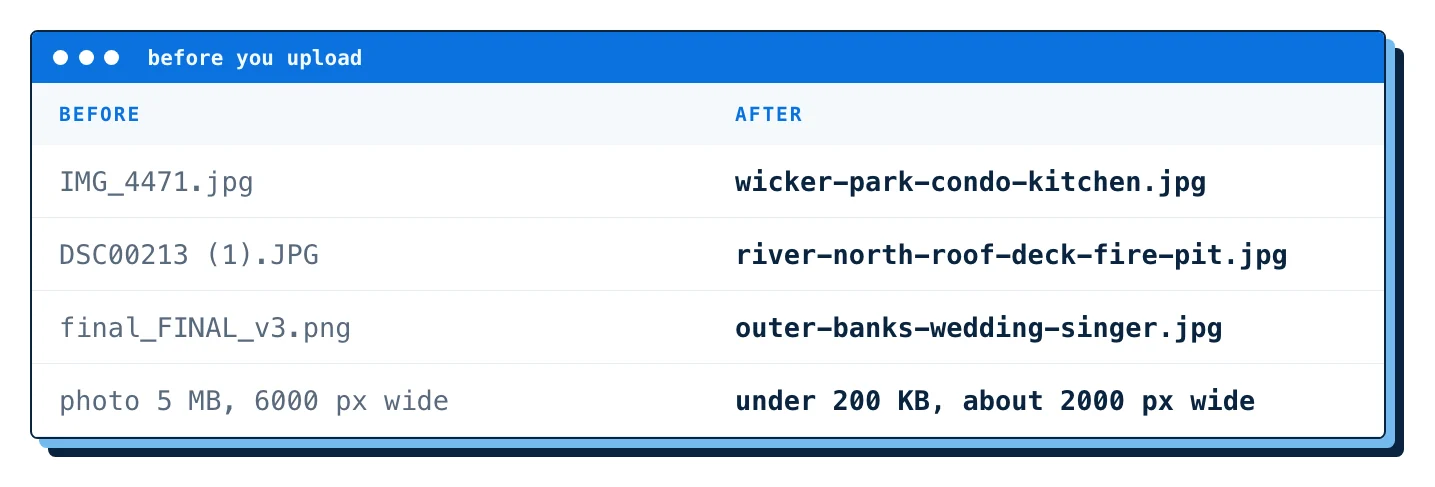
Your phone names photos for itself. Rename them for people and Google before they go on your site. Use a few plain words with hyphens between them.
Make them small
A photo straight off a phone can be 5 MB and 6,000 pixels wide. On a website it should usually be under 200 KB and around 2,000 pixels wide at most, ideally as WebP. Big photos are the most common reason small business sites are slow on phones. Most website builders and WordPress plugins can shrink them for you. If someone's building your site, send them the originals and let them do it properly.
Photos to avoid
- Stock photos that look like stock photos. Real beats perfect.
- Photos you don't own or don't have permission to use.
- Text baked into an image. Put the words on the page instead.
- Screenshots of reviews instead of the review text.
Alt text and image size are part of the on-page SEO checklist. The free SEO page audit checks every image on a page and tells you which ones are missing descriptions or are too big.