

Someone fills in your form at 9pm. They press the button, the page blinks, and then nothing. Did it work? Will anyone see it? So they open the next business in their list and fill in that form too.
A good automatic reply stops that. It doesn't sell anything. It just lets them stop looking.
Four things, in this order
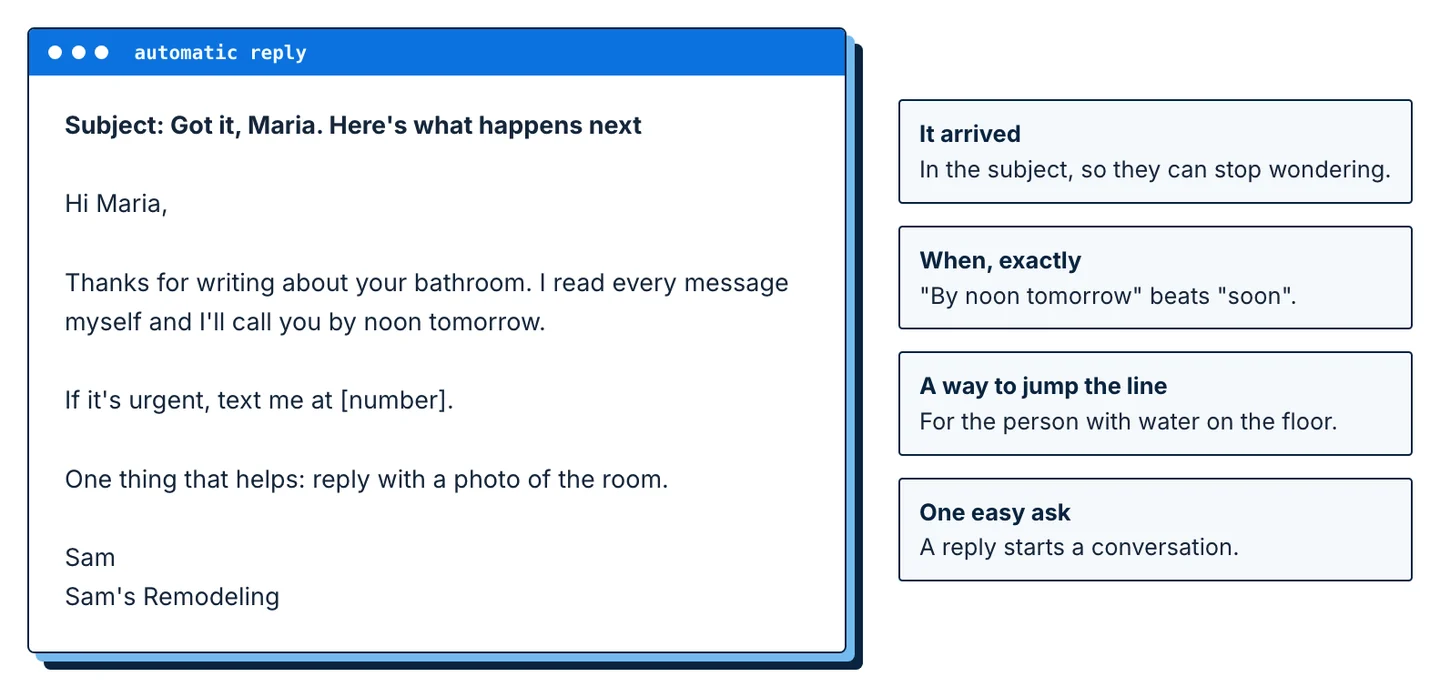
- It arrived. Put it in the subject line.
- When a person will answer. A time, not "soon".
- What to do if it's urgent.
- One easy thing they can send back.
Then your real name. Not "The Team".
Only promise what you'll do
If you say noon tomorrow, it has to be noon tomorrow. If you're on a roof all day, promise the evening. A slower promise you keep beats a faster one you don't. And set up a different message for weekends and holidays, or the promise breaks itself.
Three to copy
For a service business
Hi [name], thanks for writing about your [project]. I read every message myself and I'll call you by [time]. If it can't wait, text me at [number]. It'd help to see a photo of [the thing], so just reply with one. [Your first name]
For a store
Hi [name], we got your message and a real person will answer by [time]. If it's about an order, reply with your order number and we'll have it in front of us when we write back. Returns and shipping times are here: [link]. [Your first name]
For appointments
Hi [name], thanks for asking about [service]. I'll confirm by [time]. If you'd rather pick a time right now, here's my calendar: [link]. First visit? This page explains what happens: [link]. [Your first name]
What to leave out
- Your company history.
- A discount code. They haven't asked the price yet.
- Attachments, which make it look like spam.
- "Do not reply to this email." You want a reply.
Make sure it gets there
Send it from an address at your own domain, and have whoever runs your email turn on SPF and DKIM, which tell inboxes the message is really from you. Put your form's message on the page too: "Got it. Check your email. I'll call by noon tomorrow." Then test it once a month with a Gmail address and look in spam.
If they go quiet
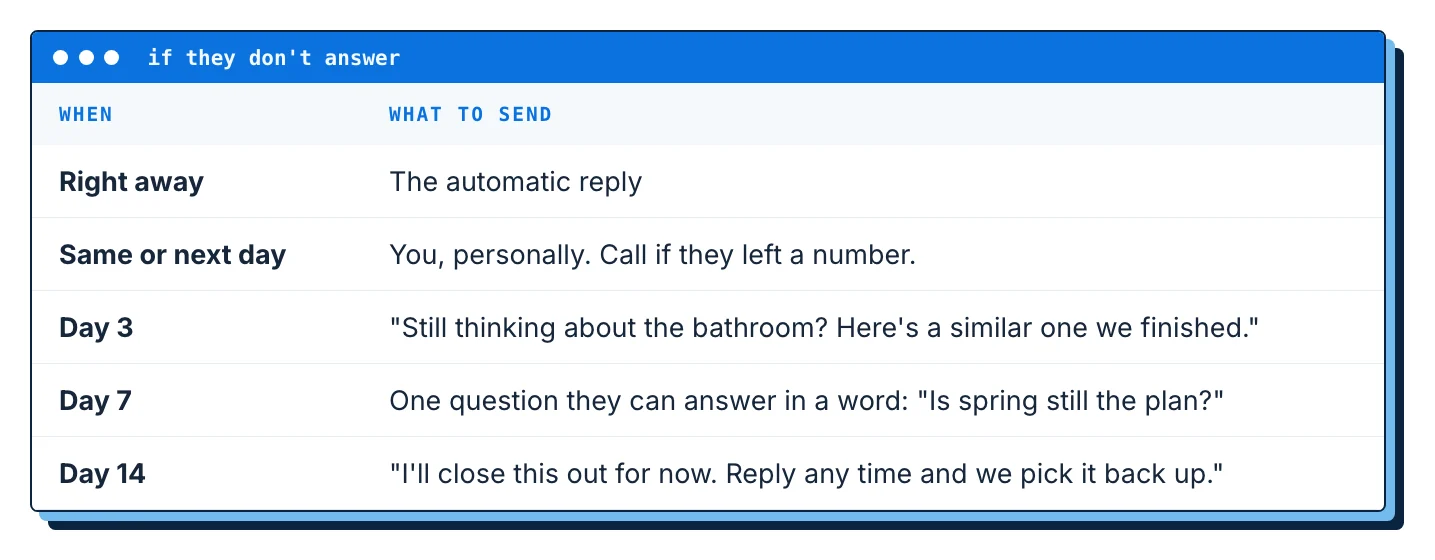
Most people who go quiet got busy. Three friendly notes over two weeks isn't pushy as long as each one gives them something: a similar job, an answer, an easy yes-or-no question. Don't skip the last one. Politely closing the file gives people an easy reason to answer.
Then be a person
The automatic reply buys you a few hours. It doesn't replace you. Call, use their name, and mention what they wrote.
The form matters as much as the reply. How to build a contact page that gets messages covers that half, and a simple CRM will remember the follow-ups for you.