

Here's a small thing that slows down a lot of websites. The designer asks for your logo, and what comes back is a screenshot of your Facebook page. It's blurry, it has a white box around it, and now somebody has to go hunting.
You can do the hunting first. It takes ten minutes if you know what you're looking for.
The white box
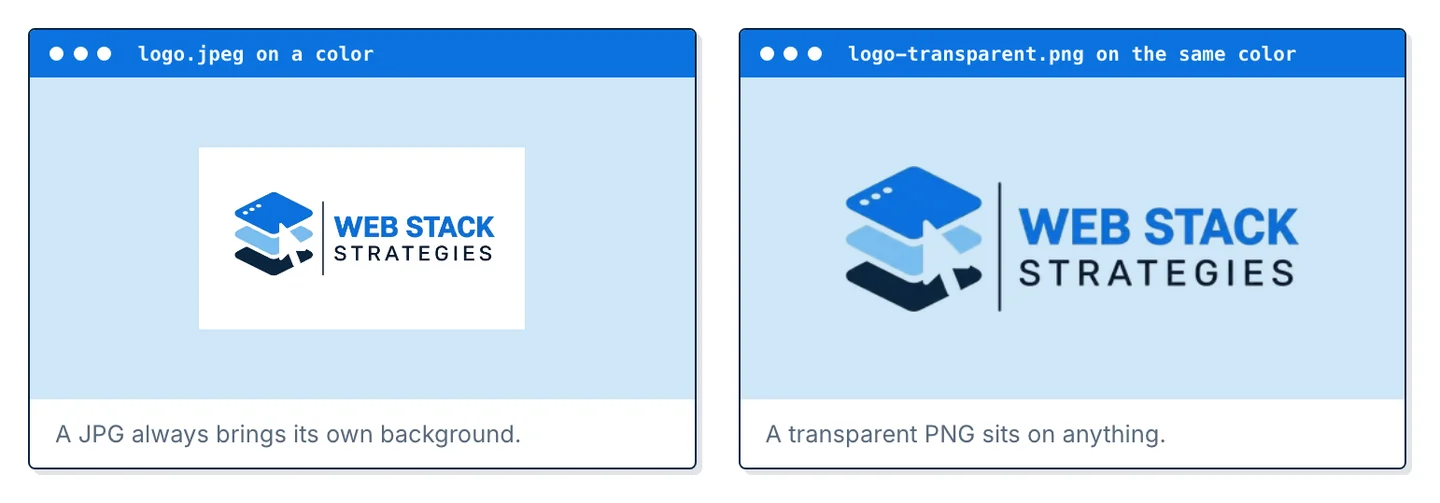
That's my logo. On the left is the JPG. A JPG can't be see-through, so it carries its background everywhere it goes. On the right is a PNG saved with a transparent background. Nothing about the design changed.
Vector and pixels
Pixel files (JPG, PNG) are a grid of dots. Make them bigger and you see the dots. Vector files (SVG, AI, EPS, and some PDFs) are instructions for drawing the shape, so they stay sharp on a business card or a billboard. Vector is what you want.
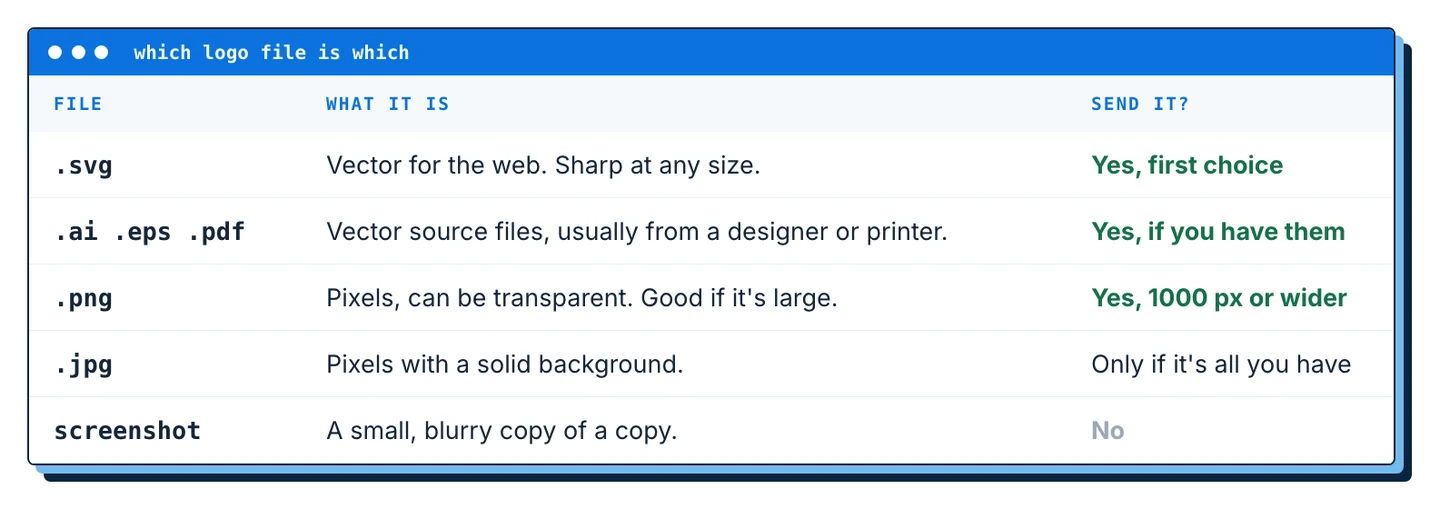
To check a PDF, open it and zoom in as far as it goes. If the edges stay crisp, it's vector.
Where to look
- Your email. Search the name of whoever designed it, plus "logo" or "final".
- Whoever printed your sign, shirts, menus or truck. Printers need vector files, and they often keep them.
- The old website folder, or the person who built it.
- The design tool it was made in. In Canva, for example, you can download your own design again. Transparent PNG and SVG are paid features there.
If you hired someone to design it, it's normal to ask for the source files. "Could you send the vector version, plus a transparent PNG in color and in white?" covers it.
Ask for these versions
- Full color, for light backgrounds.
- All white, for dark photos and dark footers.
- One color, usually black, for stamps and invoices.
- Just the symbol, if you have one, for the browser tab and social profiles.
Find your real colors
"Blue" isn't a color, it's a family. You want the hex code, like #0C72DE, which happens to be mine. Open your logo in any free color picker, or ask the printer. Two or three is plenty: a main color, a dark one for text, and one that stands out for buttons.
Find your fonts
If the designer told you, great. If not, upload a clear picture of the letters to a font identifier like WhatTheFont and it'll guess. Send the name, and your designer can work out the rest.
If you don't have any of this
It's common, and it's fine. Write down three words for how you want customers to feel, and find three businesses outside your industry whose look you like. That's enough to choose a simple set of colors and fonts. A plain wordmark in a good font beats a bad logo every time.
Put it all in one folder
Logo versions, hex codes, font names, and a few photos. Share the folder and you'll never go hunting again. The photos have their own list.