

If your customers come to you, your address does most of the local work. If you go to them, you need another way to show up in each town or neighborhood you serve. That's what service area pages are for.
Done well, they're some of the most useful pages on a local site. Done badly, with the same page copied thirty times and the town name swapped, they do nothing for you and can make Google trust the rest of your site less. Here's how to do them well.
Proof by neighborhood
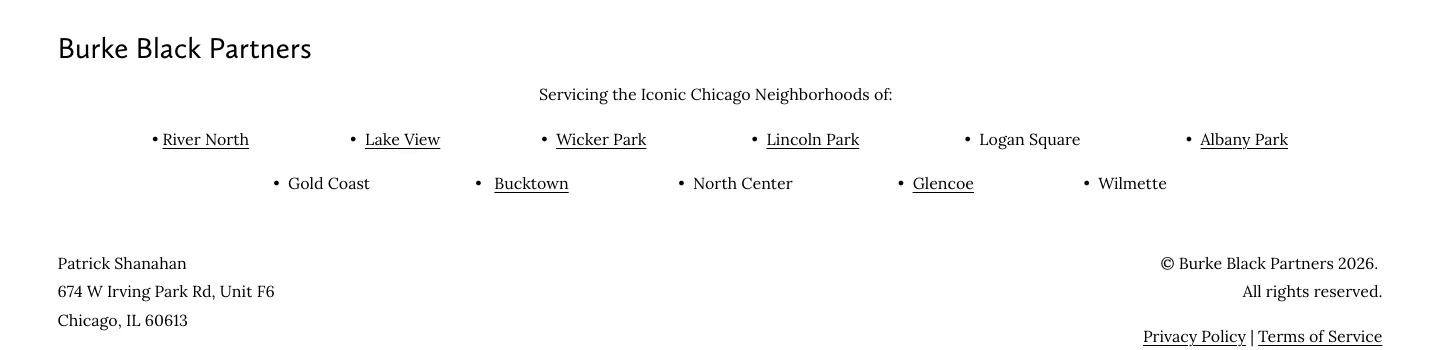
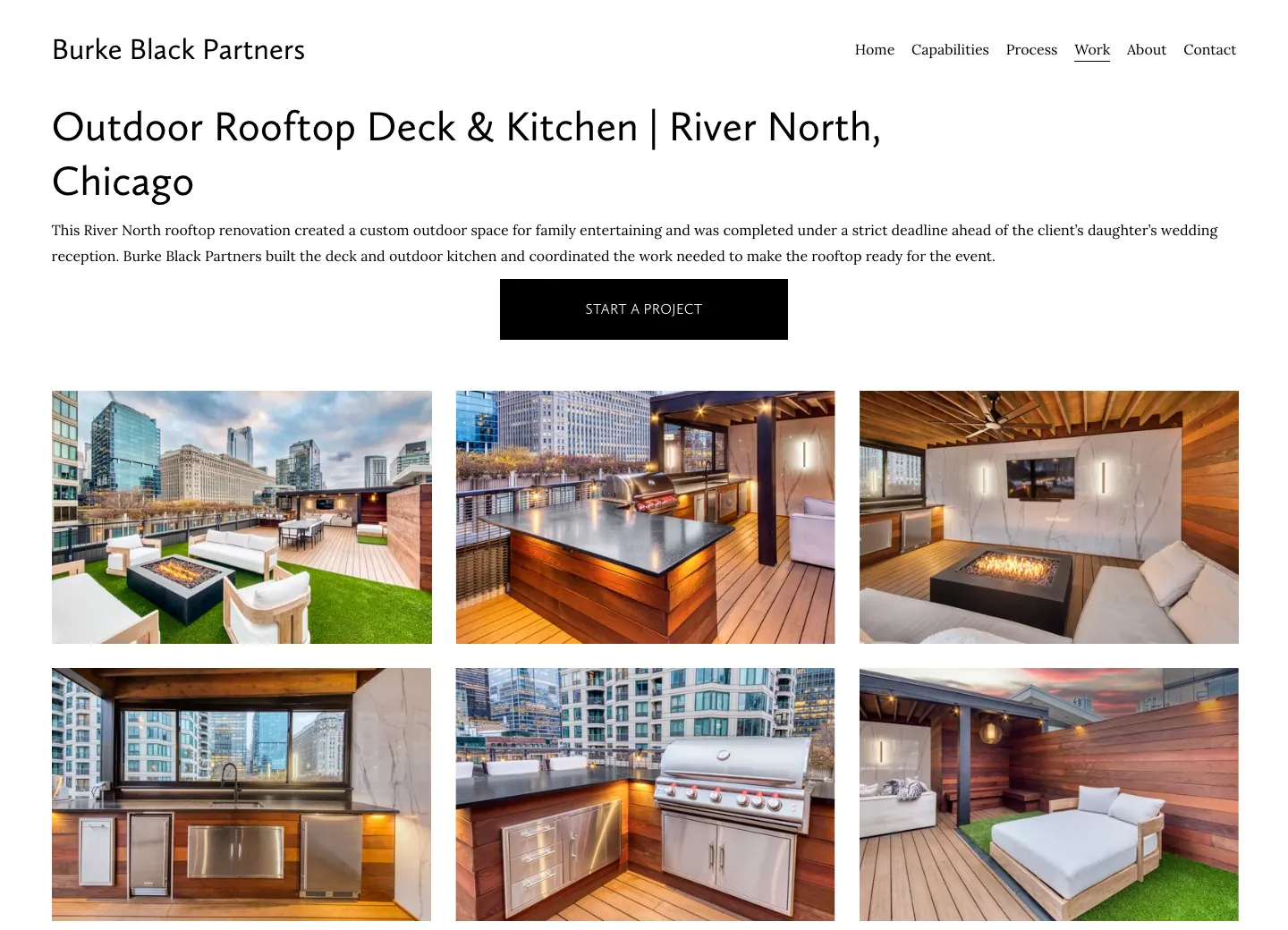
Burke Black Design Build works across Chicago's neighborhoods and the North Shore. On the site I built for them, every project page names its neighborhood, and the footer lists the neighborhoods they serve, most of them linked to a real project there.
Someone in River North who clicks River North lands on a rooftop deck in their own neighborhood. That does more than any paragraph about "proudly serving River North" ever could.
One page per place that matters
Make a page for the places where you actually work and want more work. Start with three to five. Not every suburb within fifty miles. Each page should be somewhere you can show real jobs, real reviews or real knowledge of the area.
What goes on a good one
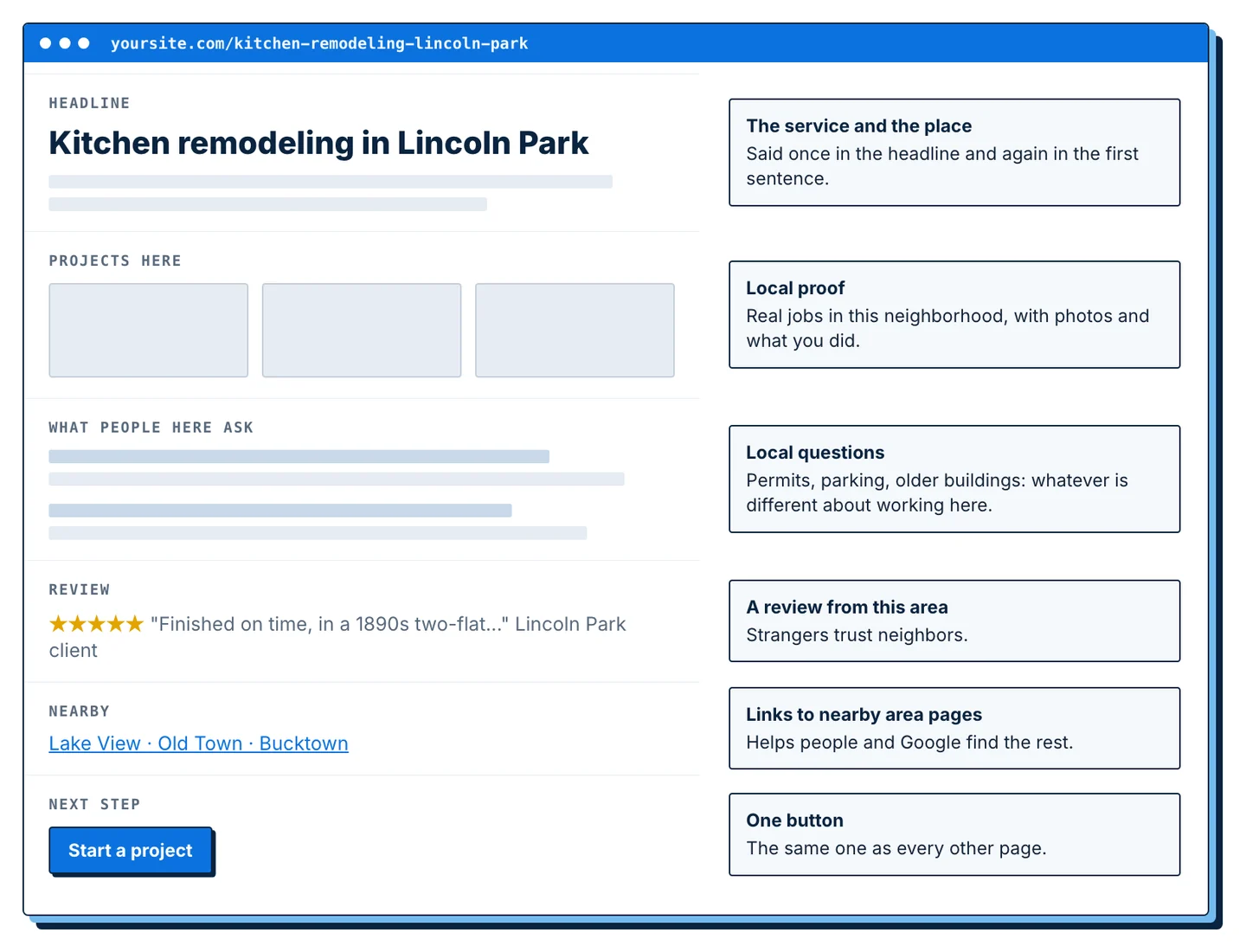
- The service and the place in the headline and the first sentence: "Kitchen remodeling in Lincoln Park".
- Real projects there, with photos and what you did.
- What's different about working there: permits, parking, building types, HOA rules, travel time.
- A review from a customer in that area, with their first name and neighborhood if they're OK with it.
- Questions people in that area ask, with direct answers.
- Links to your nearby area pages and to the service page.
- The same button as every other page.
Pass the swap test
Here's the test: if you could replace the town name and nothing else on the page would be wrong, it isn't a real page yet. Each one needs things that are only true there. Ideas:
- A project you did there, with the street type or building style.
- A local rule or quirk that affects the job, like condo association approvals or older wiring in a certain area.
- How you get there and when, if timing matters for your service.
- A landmark or a part of town people use to describe where they live.
Link them together
Make it easy for people and Google to find all of them. List your areas in the footer or on one "areas we serve" page, link each area page from your related service pages and projects, and link nearby areas to each other.
When you don't have enough for a page yet
Don't make the page yet. Do what Burke Black does: put the neighborhood on each project, list the areas you serve, and make sure your Google Business Profile has the same service area set. When you've done enough work in a place to fill a page honestly, make the page. If your profile and your site don't match yet, start with how to set up your Google Business Profile.
Mistakes that hurt more than they help
- Thirty near-identical pages with only the town name changed.
- A fake address in a town to look local.
- A footer stuffed with forty suburb names and no pages behind them.
- Pages for places you'd actually turn down work in.
To pick the phrase each area page should rank for, use local keyword research. And to see what else your site might be missing, try my free checklist.
The Website Gap Checklist
Find out in five minutes why your website isn't bringing in customers, and know exactly what to fix first so more visitors call, book and buy.
Your checklist is downloading.
Didn't start? Download the PDF here.
Rather have it checked for you? Run the free website gap checker on your site.