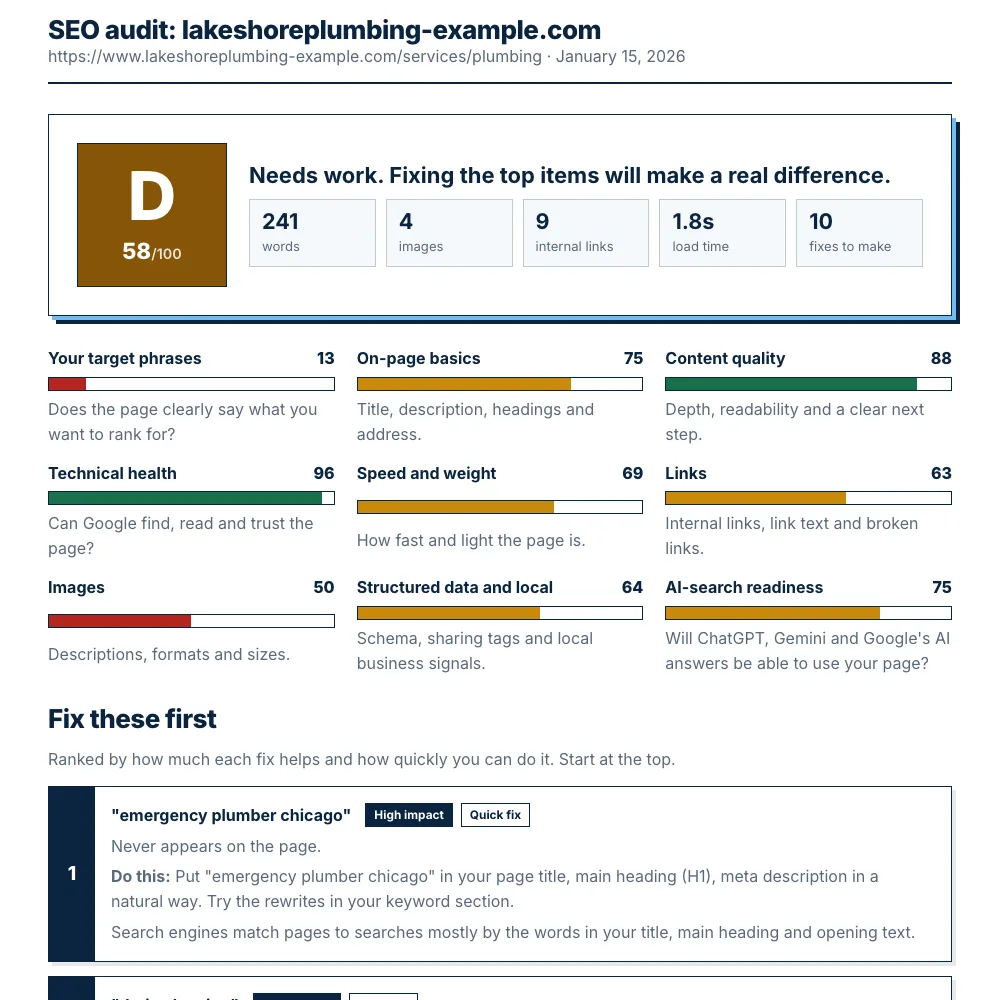
A keyword is just the words someone types into Google when they need you. For a local business, the ones that bring in customers are usually boring and specific: the service, plus the place. "Kitchen remodel Lincoln Park". "Emergency plumber Oak Park".
You don't need paid tools to find them. Here's how I'd do it in 30 minutes with free ones, and how to turn what you find into one clear phrase for each page.
Why local phrases win
Someone searching "kitchen ideas" is browsing. Someone searching "kitchen remodel cost Lincoln Park" is getting close to calling someone. Local phrases have fewer people searching, but the people who do search them want what you sell, where you sell it. You're also competing with a handful of local businesses instead of every national website on the topic.
Step 1: Write down how customers say it
List your services the way customers describe them, not the way your industry does. Customers don't search for "residential envelope remediation". They search for "roof leak repair". Listen to how people describe the problem on the phone, and read your reviews. Those are your words.
Step 2: Let Google finish your sentence
Type your service and your city into Google slowly and look at the suggestions. They come from what real people search. Here's what Google suggested for "kitchen remodel chicago" this month:
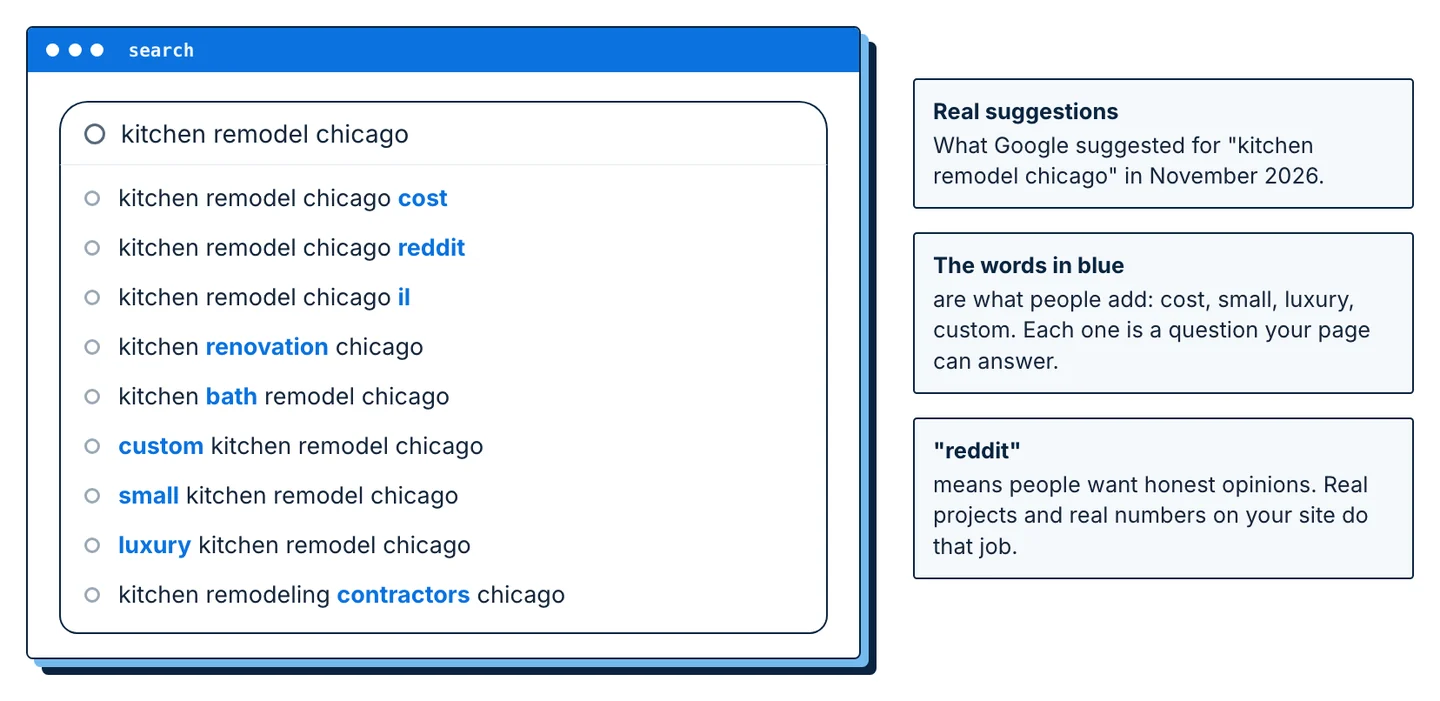
Every extra word is a clue. "Cost" means people want a number. "Small" and "luxury" are two different customers. "Reddit" means people want honest opinions, which real projects and real numbers on your site can give them. Scroll to the bottom of the results page too: the "People also ask" questions and related searches are more free research.
Step 3: Check your Google Business Profile
If you have a profile, open its Performance report and look for the searches breakdown. It shows the actual words people used to find your listing. This is the closest thing to reading your customers' minds, and it's free. If you haven't set up your profile yet, here's how.
Step 4: Use the two free Google tools
- Google Search Console: open Performance and look at Queries. These are searches you already show up for. Phrases with lots of impressions but few clicks are your easiest wins, because Google already connects you to them.
- Google Keyword Planner: free with a Google Ads account, even if you never run an ad. Set the location to your area. It gives rough ranges for how many people search each phrase, which is enough to compare them.
Step 5: Build your phrases
Now put it together. For each service, add a place, and if it helps, one of the extra words you found. Write down the phrase that a real customer would type.
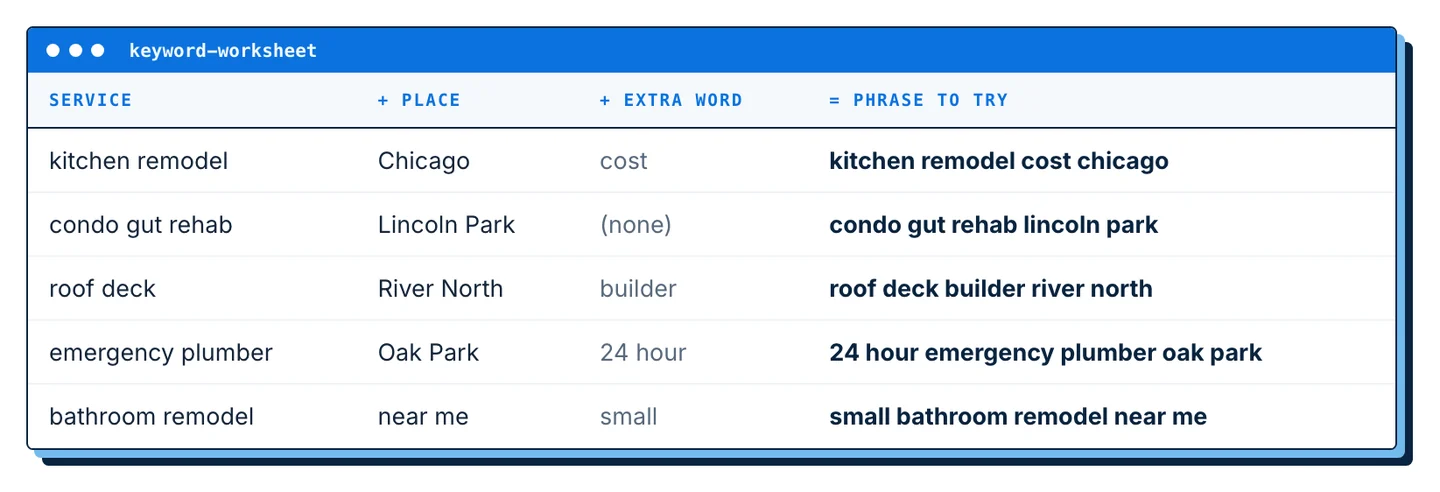
Step 6: One main phrase per page
Give each important page one main phrase, and don't give the same phrase to two pages. Your kitchen page gets the kitchen phrase. Your bathroom page gets the bathroom phrase. If you work in several neighborhoods, that's what service area pages are for.
Then put the phrase where Google looks first: the page title, the main heading, the first paragraph and an image description. Use it naturally. Repeating it ten times doesn't help and reads badly. The on-page SEO checklist covers exactly where each piece goes.
Mistakes I see a lot
- Only chasing the biggest phrase, like "plumber Chicago", and ignoring the specific ones you could actually win.
- Using industry words customers never type.
- Putting the same phrase on five pages so they compete with each other.
- Making thirty town pages that are the same page with the name swapped.
Check a page against your phrase
Once you've picked a phrase, run the page through the free SEO page audit. Enter the page and the phrase, and it shows whether the page actually says it in the places that count, with a fix list.