

Most galleries are where photos go to be forgotten. Someone uploaded everything from the last five years, in the order the camera took them, and nobody has been past the second row since.
A good gallery makes a case. By the end of it, a person should know what you do, what it looks like when you do it, and which one is most like theirs.
Choose ten
Go through everything and keep the ones that would make your favorite customer say "that, please". Then cut the near-duplicates.
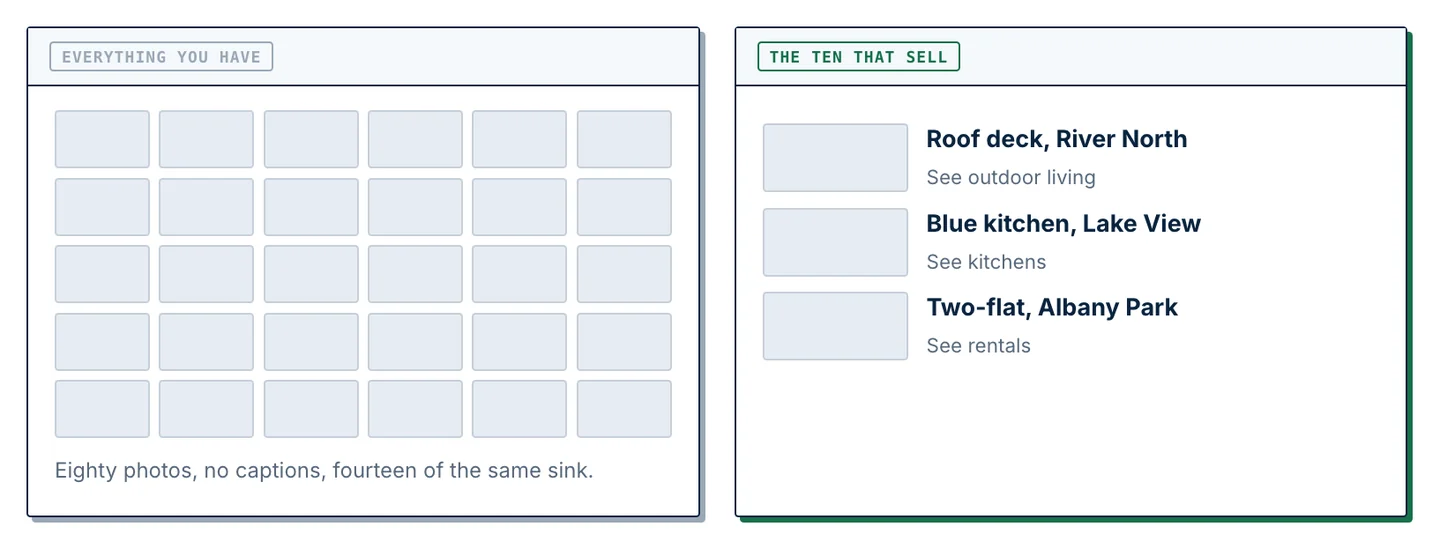
Three rules for what stays:
- It shows something you want to be hired for again.
- A stranger can tell what they're looking at.
- It's yours, and anyone in it said yes.
Group by what people want, not by date
Kitchens, baths, outdoors. Ceremonies, receptions, home concerts. A visitor has one thing in mind, and the groups should let them skip straight to it. The Work page I built for Burke Black puts the place and the job in the title of every photo, so you can find the one that looks like your building.
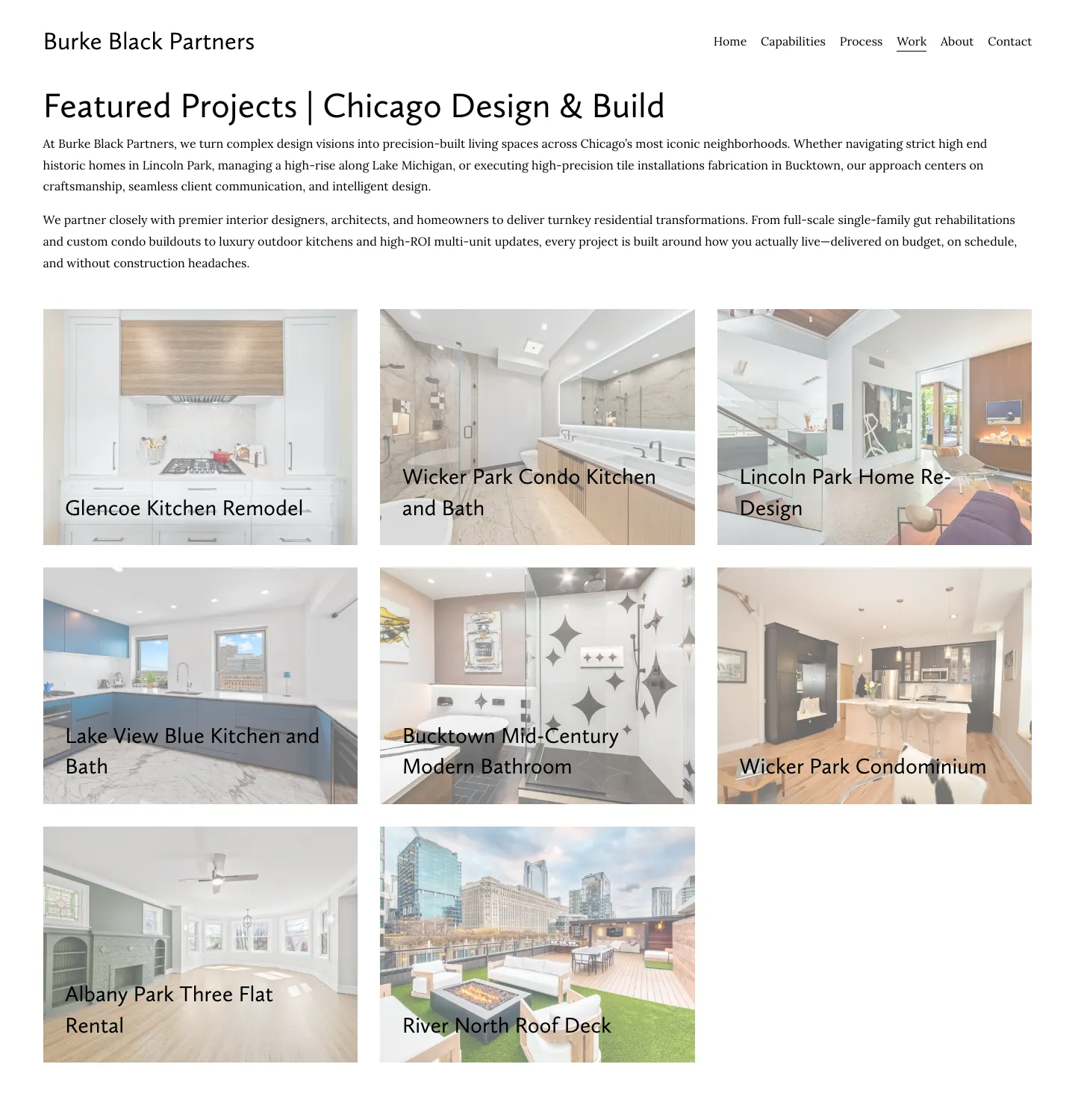
Caption every photo
A caption turns a nice picture into evidence. What it is, where it is, and one detail you can't see. "Roof deck, River North. Built to a deadline for a family event." Captions are some of the most-read words on a page, because eyes land on the photo and drop to the line below it.
Write the alt text too, which is different. Captions, alt text and file names explains which does what.
Mix in more than photos
The Iroquois site keeps its gallery on the same page as the yacht's specifications. Facts first, then videos.
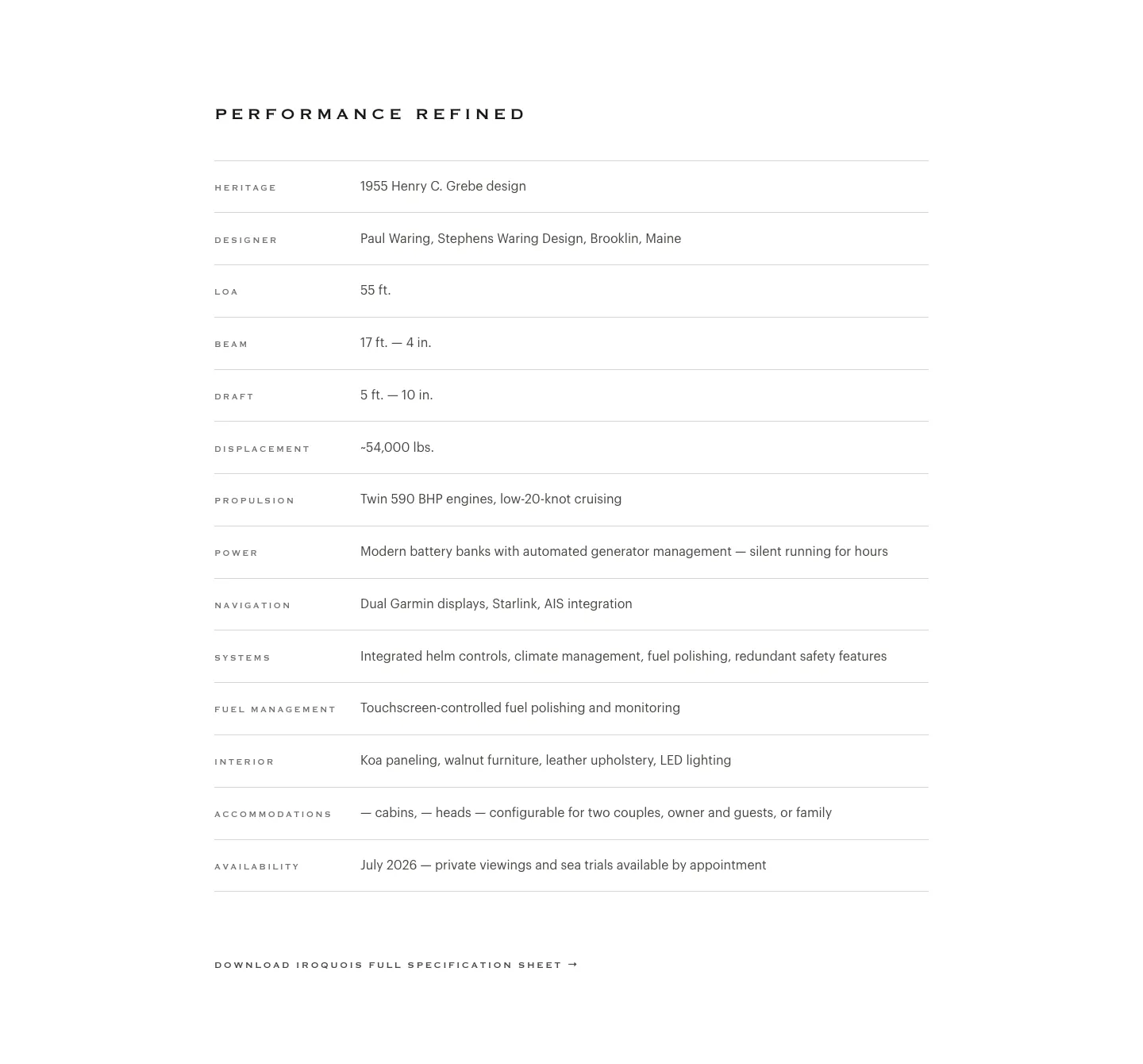
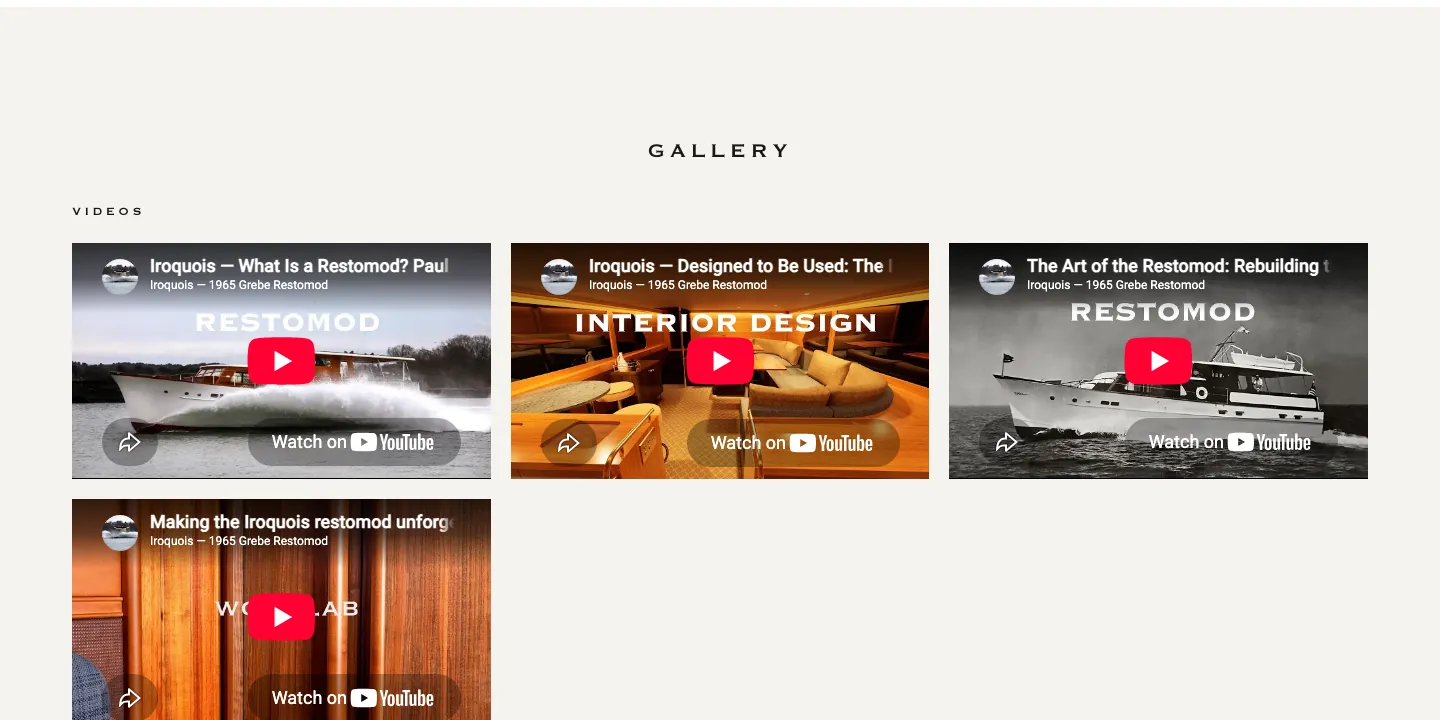
For something expensive, people need both: the detail that lets them justify it and the picture that makes them want it.
Keep it fast
Galleries are usually the slowest page on a site. Three fixes cover most of it:
- Resize before uploading. Around 2,000 pixels wide is plenty, and under 200 KB each if you can.
- Use WebP if your site builder supports it.
- Turn on lazy loading, so photos below the screen wait until someone scrolls. WordPress does this for you on most images.
Give every group a way out
Under each group, link to the matching service, and put one button at the end. Someone who just looked at nine roof decks is ready to talk about a roof deck. Don't make them find the menu.
Keep it alive
Add one photo a month and retire one. Put the same one on your Google Business Profile while you're there.
The Website Gap Checklist
Find out in five minutes why your website isn't bringing in customers, and know exactly what to fix first so more visitors call, book and buy.
Your checklist is downloading.
Didn't start? Download the PDF here.
Rather have it checked for you? Run the free website gap checker on your site.