

Someone just gave you their email address. They're paying more attention to you right now than they ever will again. The welcome email is your one guaranteed open, and most businesses spend it on "Thanks for subscribing!" and a logo.
Send it right away
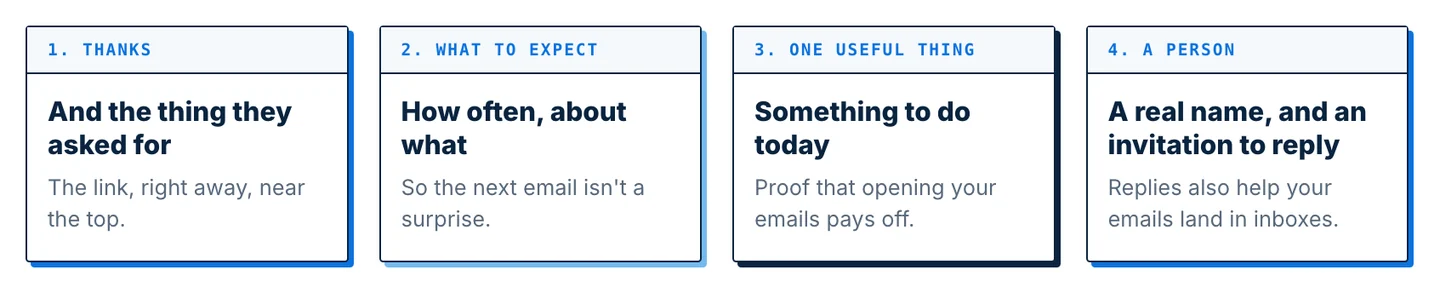
Not tomorrow, not in a weekly batch. Seconds after they sign up, while they still remember why. Every email tool can do this with an automation. If they signed up for something, like a guide or a discount, the link to it goes in this email, near the top.
Four parts
What it looks like
Subject lines that get opened
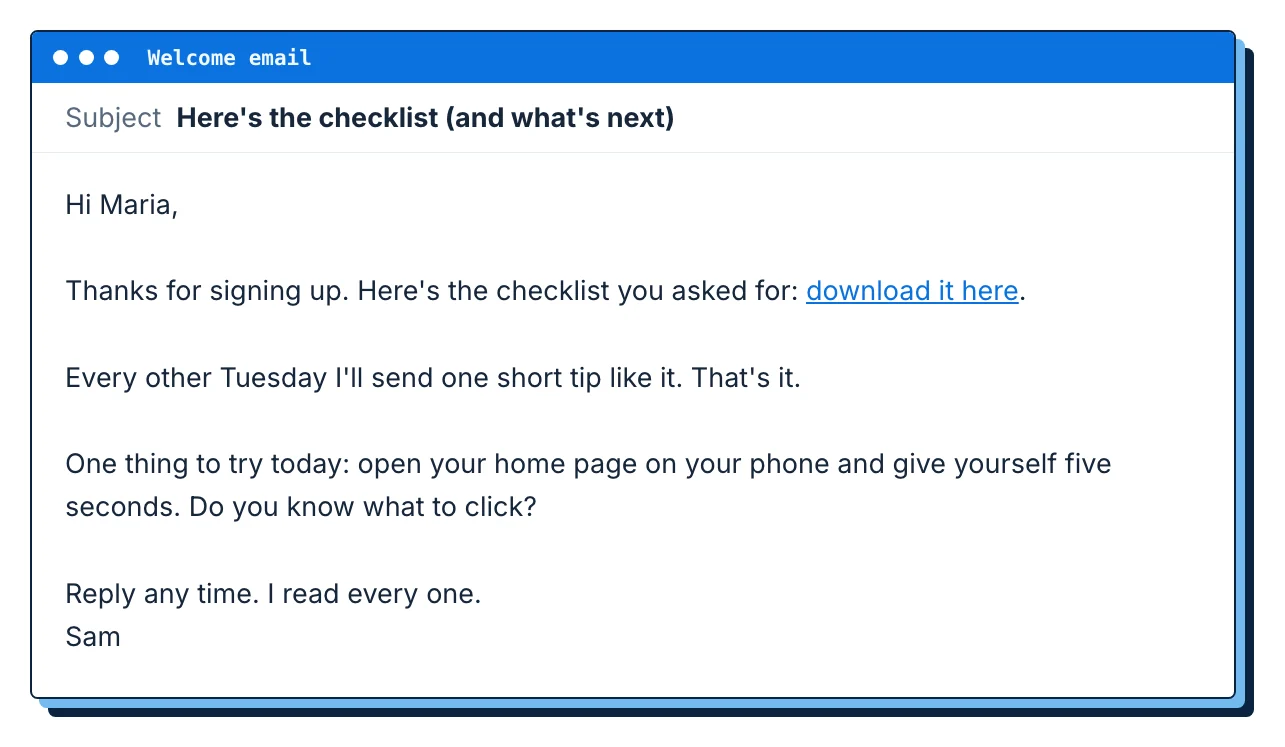
Say what's inside. "Here's the checklist (and what's next)" beats "Welcome to the family!" every time. Keep it short enough to read on a lock screen, and send it from a person's name, not "Info" or "No Reply".
What to leave out
- Your full company story.
- Five links to five different things.
- A big image as the whole email. Many inboxes hide images at first.
- A hard sell. They just met you.
How often after that
Whatever you said in the welcome email, then do exactly that. Every other week is plenty for most small businesses. Pick a day and keep it. An email list that hears from you twice in January and never again isn't worth much.
Keep the basics in place
Only send to people who signed up. Adding everyone you've ever emailed is the fastest way to get marked as spam, and then even your welcome email lands there. Keep the unsubscribe link your email tool adds to every message. Rules about consent and marketing email vary by place, so check what applies to you with whoever advises you.
Test it on yourself
Sign up with a personal address. Check that the email arrives, lands in the inbox and not spam, the link works, and it reads well on a phone. Then do it again every few months. Settings change quietly.
The same thinking applies to the reply people get after a contact form, which I wrote about in the automatic reply to a new lead. And if you want a sign-up worth giving an email for, a landing page with one offer is how to set it up.