

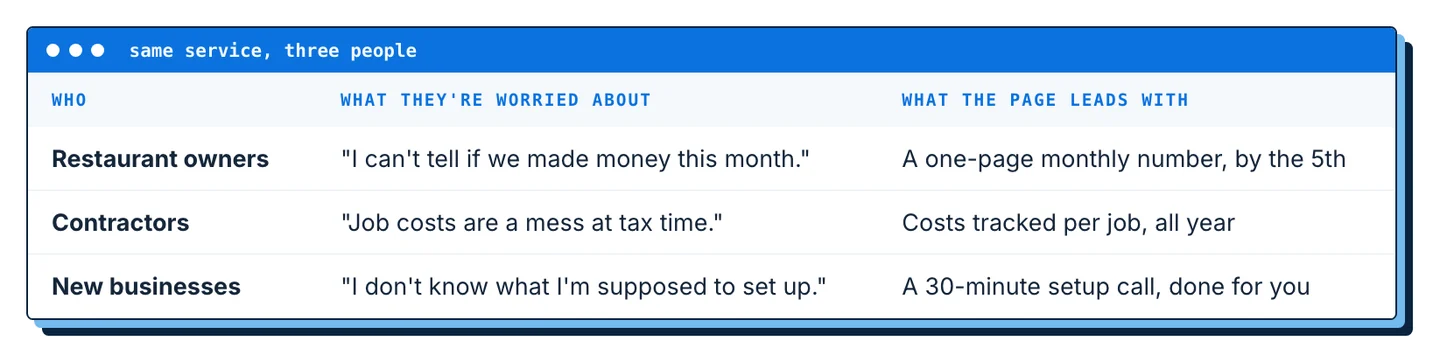
The same service can be bought by people with completely different worries. A bookkeeper's restaurant clients want to know if they made money this month. Their contractor clients want job costs that make sense at tax time. Write one page for both and it sounds right to neither.
That's what "who we help" pages are for: one page per kind of customer, written around their problem.
Do you need them?
You do if your customers would describe their problem in different words. You don't if everyone wants the same thing for the same reason. In that case, a clear services page is enough.
A real example, inside one page
Kim Kalman is a singer on the Outer Banks. Her Book Kim page speaks to four different people: a couple planning a wedding, someone throwing a party, a family arranging a memorial, and someone hosting a concert at home. Each gets its own section, with its own heading and its own button.
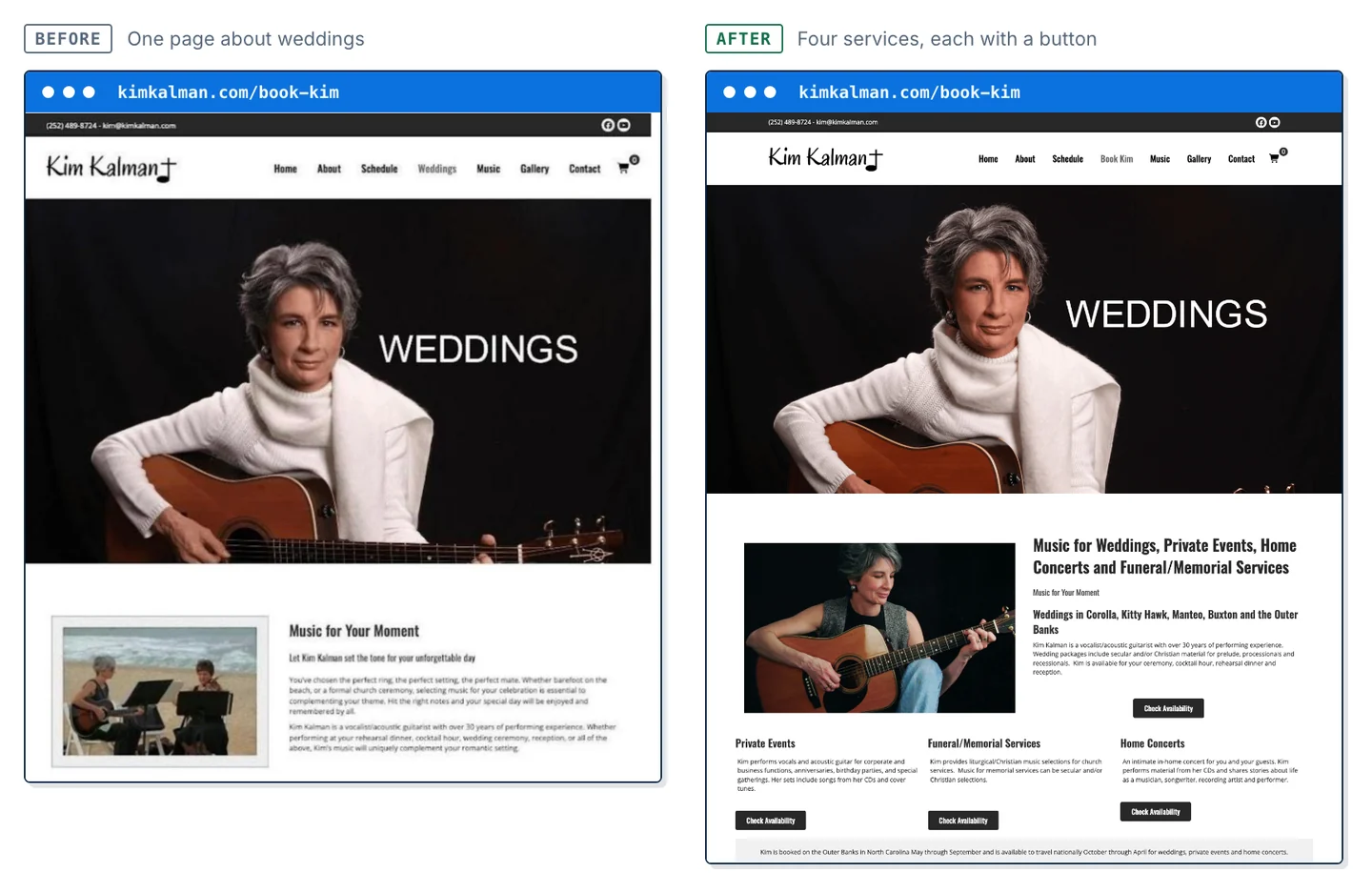
Sections are the right start for a small business. When one audience grows into a big part of the work, give it its own page.
What goes on each page
Name them in the headline
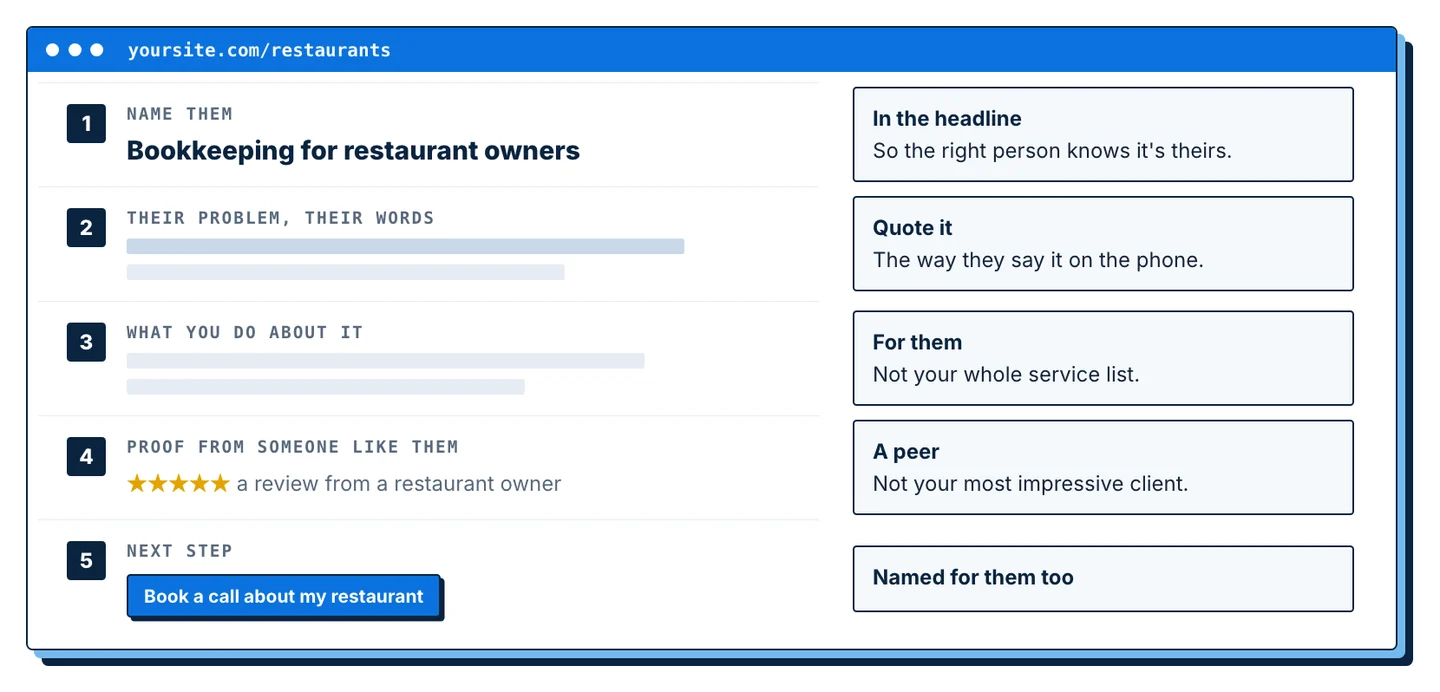
"Bookkeeping for restaurant owners" tells the right person they're in the right place in two seconds.
Use their words for the problem
Look at how these customers describe it in emails and on calls, and use that. If they say "I never know where the money went", don't write "cash flow visibility".
Show proof from someone like them
A review from a restaurant owner is worth more on this page than your most famous client from another field.
End with a button named for them
"Book a call about my restaurant" feels like it was made for them, because it was.
Each page gets its own search phrase
These pages are also how you show up for more specific searches: "bookkeeper for restaurants", "wedding singer Outer Banks". Pick one phrase per page, the way I describe in local keyword research, and don't repeat it on another page.
Don't invent audiences
Only make a page for customers you already serve well and want more of. A page for an audience you've never worked with has nothing real to put on it, and readers can tell.
The Website Gap Checklist
Find out in five minutes why your website isn't bringing in customers, and know exactly what to fix first so more visitors call, book and buy.
Your checklist is downloading.
Didn't start? Download the PDF here.
Rather have it checked for you? Run the free website gap checker on your site.