

Most small business websites need about six pages. That's fewer than most people think, and more than a one-page site with everything crammed in.
The Iroquois yacht site I built has three: Home, Story, and Specs and Gallery. The site I built for Burke Black Design Build, a Chicago remodeler, has six in the menu: Home, Capabilities, Process, Work, About and Contact, with a page for each service and each project underneath. Both work, because every page answers a question a buyer actually has. That's the whole rule. Here's how to use it on yours.

The three pages every site needs
Home
What you do, who it's for, why you, and the one next step. Most visitors decide in a few seconds whether to stay, so it has to answer "am I in the right place?" right away. I break down the words that go on it in how to write website copy that turns visitors into customers.
Services
What you sell, each with the result first, who it's for and the next step. One page with a section for each service is fine to start. When one service is a big part of your business, or you want it to show up in Google on its own, give it its own page.
Past work
The proof. Real projects with real photos and specifics: where, what, how big, when. Nobody wants to be the first person to trust you, so show them they won't be.
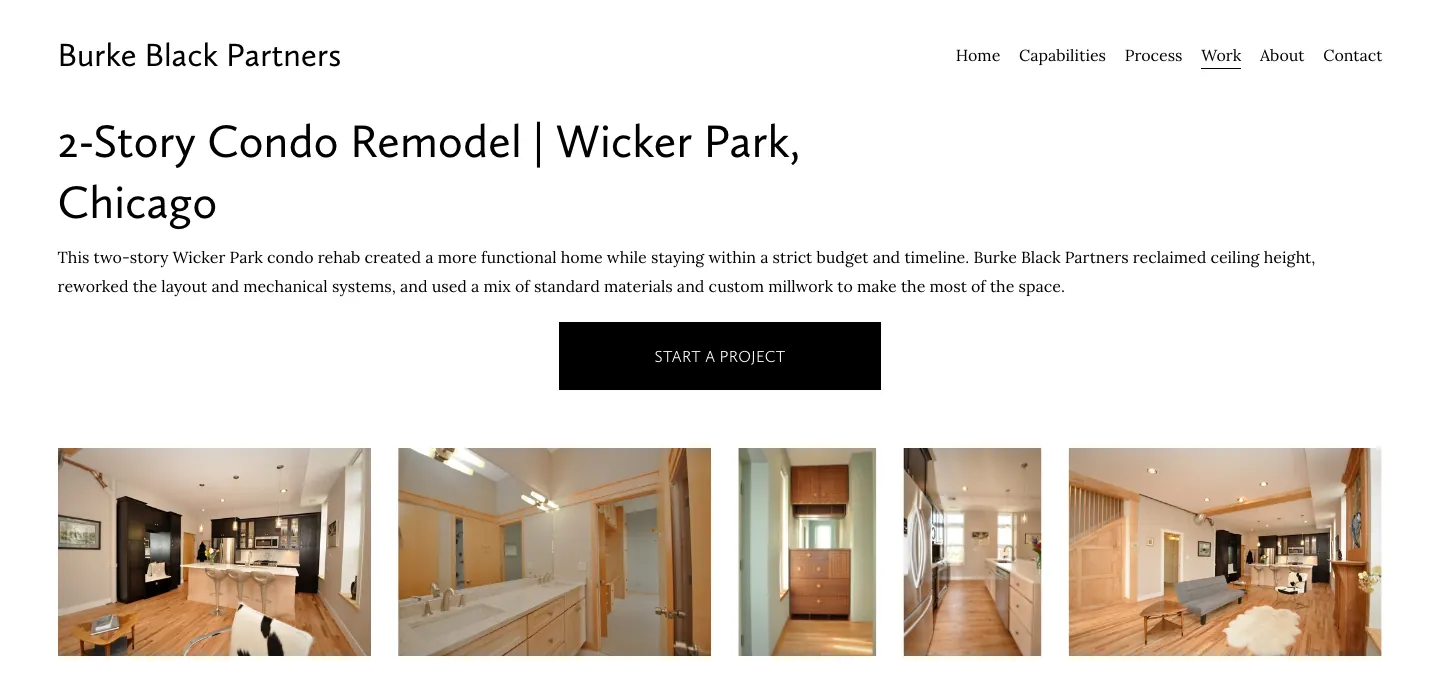
Every Burke Black project page names the neighborhood, what was done and how, with real photos. After the new site went live, the owner sent a prospective client to the Work page and won the project. Same work as before, just easier to see.
How to choose the other three
Think about the last question a customer asks before they reach out. Each common question is a page:
- "Do you work in my area?" Service areas, with a section or page for each town or neighborhood that matters.
- "What happens after I call?" How it works: three to five steps, with timing.
- "How much is this going to cost?" Pricing: packages, ranges or a "starting at".
- "Who am I actually dealing with?" About, or Team if there's more than one of you.
- "Do other people like them?" Reviews.
- "Can I just book?" Book online.
- "What about...?" FAQ, with your real answers.
- "Where are you, and when are you open?" Contact, with hours and a map.
Pick the three questions your customers ask most. Not sure? Look at your last ten calls or emails. The questions you answer over and over are your pages.
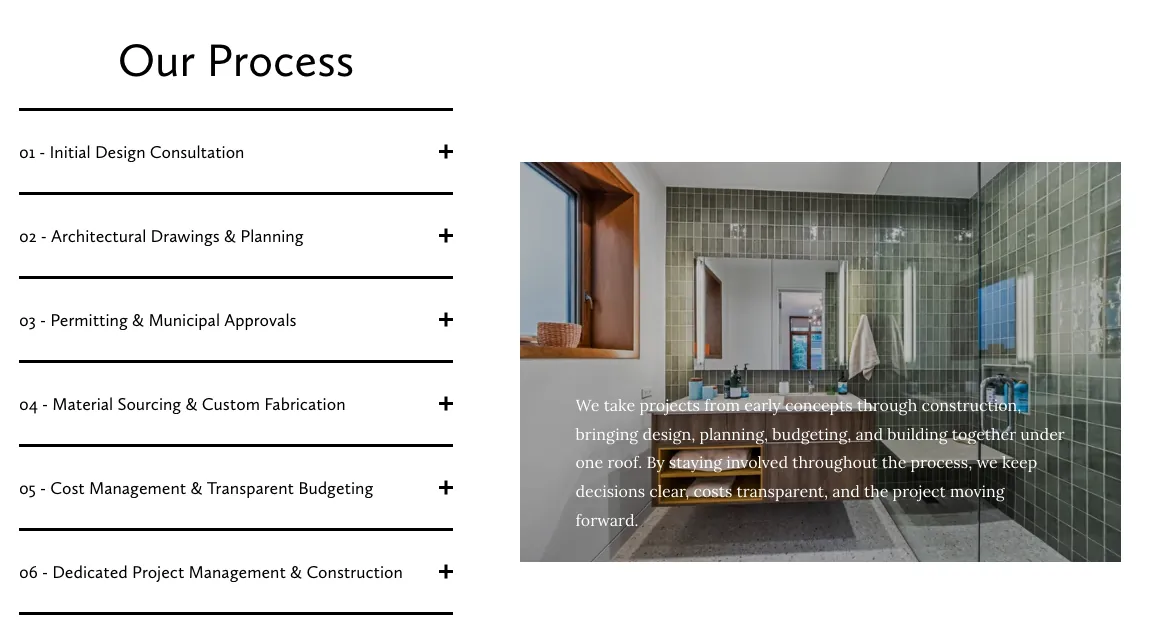
For a remodeler, "what happens after I call?" is a big one. A kitchen is a big check to write to someone you just met. So the Burke Black site has a Process page, and the home page lays out the six steps from the first consultation to construction.
Pages that do the most for local search
If you want to show up when people near you search, these pull the most weight:
- A page for each main service, each built around its own search phrase.
- Service area pages, if you travel to customers. Only for places you really work, each with real projects or details from that area, not the same page with the town name swapped.
- A contact page with your name, address and phone exactly as they appear on your Google Business Profile.
- An FAQ page, because question searches and AI answers pull from direct answers.
Pages that do the most for getting people to act
- Past work, with photos and specifics.
- Reviews, ideally next to your button too, not only on their own page.
- How it works, so the first step feels small.
- Pricing, or at least a price signal. People leave sites that hide every number.
What to leave out
Every page you add is one more place for a visitor to wander off. Leave these out until you have a reason:
- A blog you won't keep up. Two posts from 2022 make it look like the business closed.
- A separate Mission and Vision page. One honest sentence on the About page does more.
- A Resources page with three links on it.
- A page for every service you could do, instead of the ones you want more of.
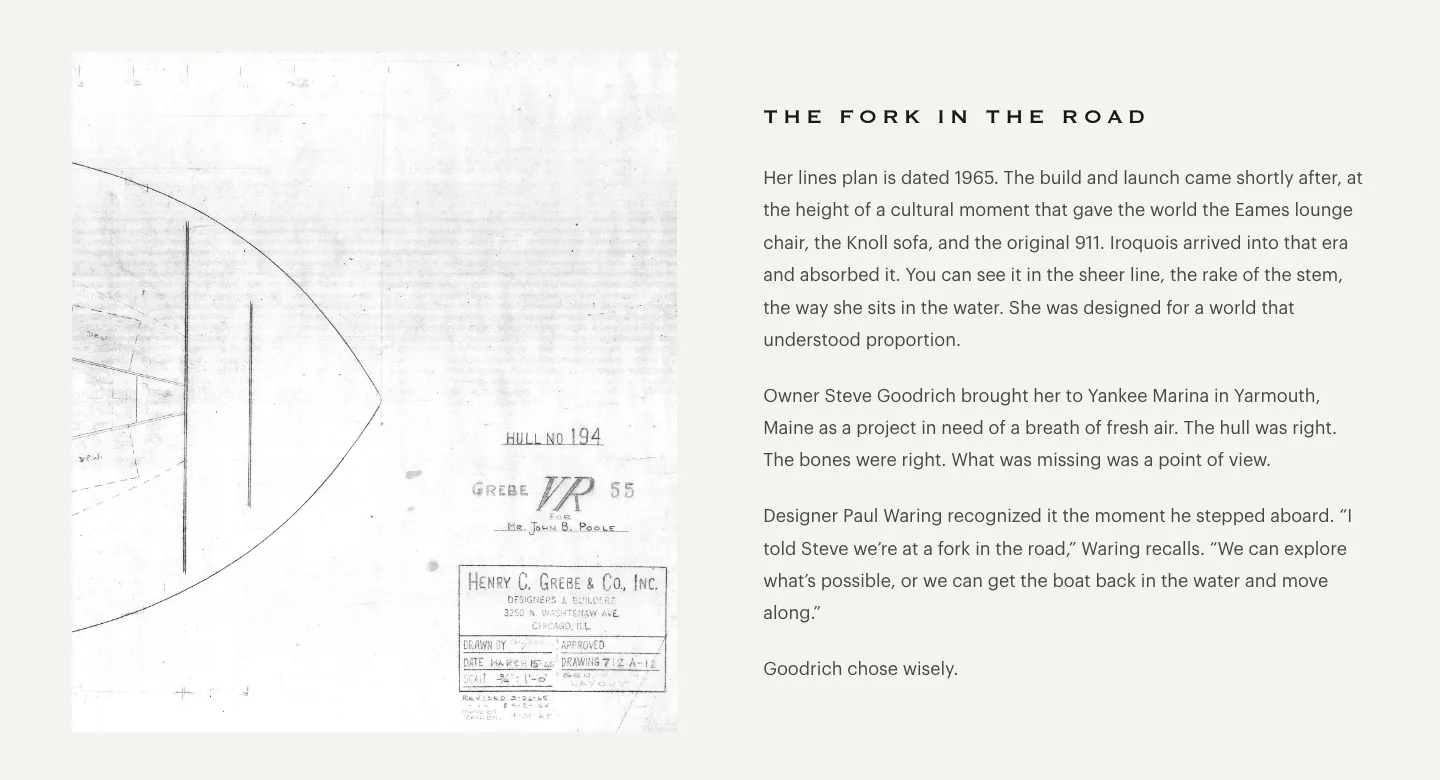
The Iroquois site has no blog and no long menu. The Story page does the convincing: the original 1965 drawings, the renderings and the people behind the rebuild. Visitors spent over two minutes on it, more than four times as long as on the home page. One page doing its job beats five pages doing nothing.
A cheat sheet by type of business
Here's where I'd start for the most common kinds of small business. The first three in each line are the core pages. The last three are the ones that usually earn their spot.
- Home services and trades (plumbing, HVAC, roofing, landscaping): Home, Services, Our Work, plus Service Areas, Reviews and Contact.
- Professional services (law, accounting, consulting): Home, Services, Case Studies, plus About, FAQ and Team.
- Health, wellness and beauty: Home, Services, Results or Gallery, plus Book Online, Reviews and About.
- Restaurants and cafes: Home, Menu, Gallery, plus Hours and Contact, About and Reviews.
- Real estate and property: Home, Services, Sold or Managed, plus Neighborhoods, About and Reviews.
- Creative studios and nonprofits: Home, Services or Programs, Portfolio or Impact, plus About, Team and Contact.
When to add more
Add a page when people keep asking a question your site doesn't answer, when one service deserves its own spot in Google, or when you start working in a new area. And add it when you have something real to put on it. A thin page you meant to finish later does more harm than no page at all.
Once you know your pages, each one needs a clear job and the right words to show up in Google. The on-page SEO checklist covers what every page needs.
Check what your current pages are missing
My free website gap checklist walks through ten yes-or-no questions: does every page have one clear job, is there real proof where people decide, can someone take a first step from their phone. Five minutes, and you'll know which pages to fix first.
The Website Gap Checklist
Find out in five minutes why your website isn't bringing in customers, and know exactly what to fix first so more visitors call, book and buy.
Your checklist is downloading.
Didn't start? Download the PDF here.
Rather have it checked for you? Run the free website gap checker on your site.